Are Uncensored Local LLMs Private? A 2026 Data-Flow Guide
>Local uncensored LLMs can keep prompts on-device, but downloads, cloud features, coding agents, logs, and exposed APIs create separate privacy paths.
🎧 Listen — ~11 min
Audio summary not available yet
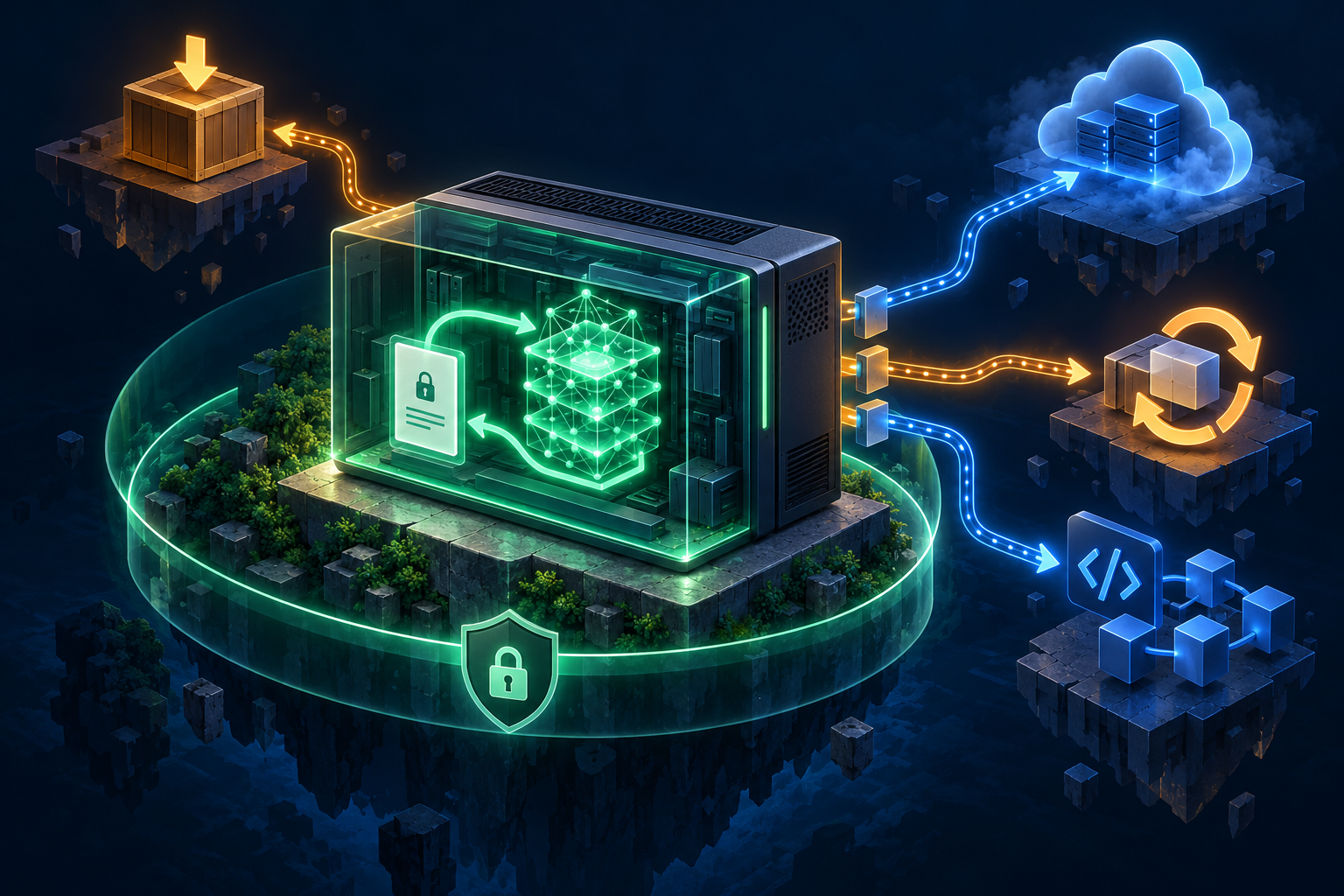
Editorial illustration generated for this guide. It explains data-flow boundaries and is not a screenshot of a real product.
Short answer: Running an uncensored or abliterated language model locally can keep the prompt and response on your computer during inference. It does not automatically make the entire workflow private. Model search and downloads, update checks, cloud fallbacks, web-search tools, IDE agents, plugins, telemetry, logs, and a network-exposed inference server each create a separate path to assess.
That distinction matters because “local model” describes where tokens are computed—not every application, extension, or network service surrounding the model. Before using a local model with private code, customer data, or internal documents, map the whole path from input to output.
Key takeaways
- Local inference is a meaningful privacy boundary, but it is not the same as an offline or isolated system.
- Ollama and LM Studio document differences between local use and their cloud, catalog, download, and update features. Those are vendor disclosures, not independent audits.
- A coding agent can send context to tools, MCP servers, browser search, telemetry, or a remote fallback even when its main model endpoint is local.
- Keep inference bound to loopback unless remote access is required; add authentication and network controls before sharing it.
- “Uncensored” describes a claimed response behavior, not a security property, privacy guarantee, license, or quality score.
What “local” does—and does not—promise
For a privacy review, separate five planes that product pages often place under one friendly label:
| Plane | Example | Possible outbound data | Practical check |
|---|---|---|---|
| Inference | A downloaded GGUF model running in Ollama, LM Studio, or llama.cpp | Ideally, prompt and response stay on the host | Confirm the selected model is local and the app is not using a cloud route |
| Discovery and downloads | Searching a model catalog or pulling weights | Search terms, IP/device metadata, and the requested artifact may reach catalog, CDN, or hosting services | Review the app policy; download from a source you trust and pin the exact revision |
| Cloud features | Hosted model, web search, remote reranker, or cloud fallback | Prompts, attached files, retrieved passages, and generated output may be sent to service providers | Disable features you do not need; verify the provider and retention terms for the exact route |
| Agent tools | IDE agent, MCP server, shell, browser, or external API | Selected files, tool arguments, command output, URLs, or snippets may leave the machine | Inspect tool permissions, allowlists, logs, and agent-level model routing |
| Serving and operations | Local OpenAI-compatible API, observability, crash reports, backups | Requests may be reachable by LAN users; logs and backups may preserve sensitive text | Bind locally by default, authenticate remote access, and set log/backup retention deliberately |
The most useful question is not simply “Is the model local?” Ask: Which exact component receives each piece of context, where does it run, and what does it retain?
What the runtime providers say
The official policies and documentation below are useful evidence about intended product behavior. They are self-published statements; they do not prove what every version, plugin, operating-system service, or third-party integration does on a particular computer.
Ollama: local prompts versus cloud-hosted models
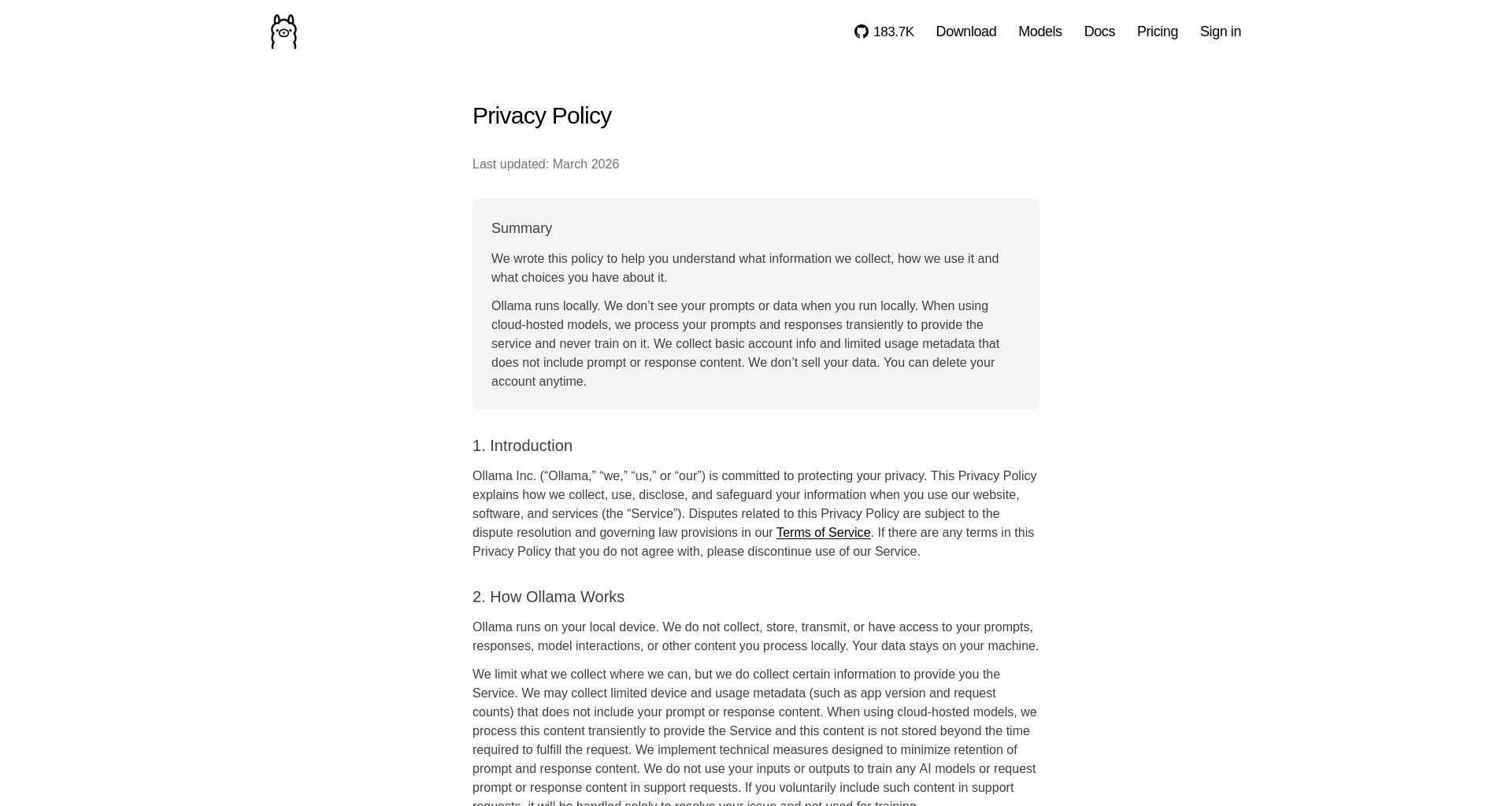
Ollama’s privacy policy, updated March 2026, says prompts, responses, and other content processed locally are not collected, stored, transmitted, or accessible to Ollama. The same policy distinguishes cloud-hosted models: their requests are processed transiently to provide the service, and Ollama says it does not train on prompt or response content. It also describes limited device and usage metadata. So “I use Ollama” is not enough to classify a session: the important detail is whether the selected model and any attached feature are actually local.
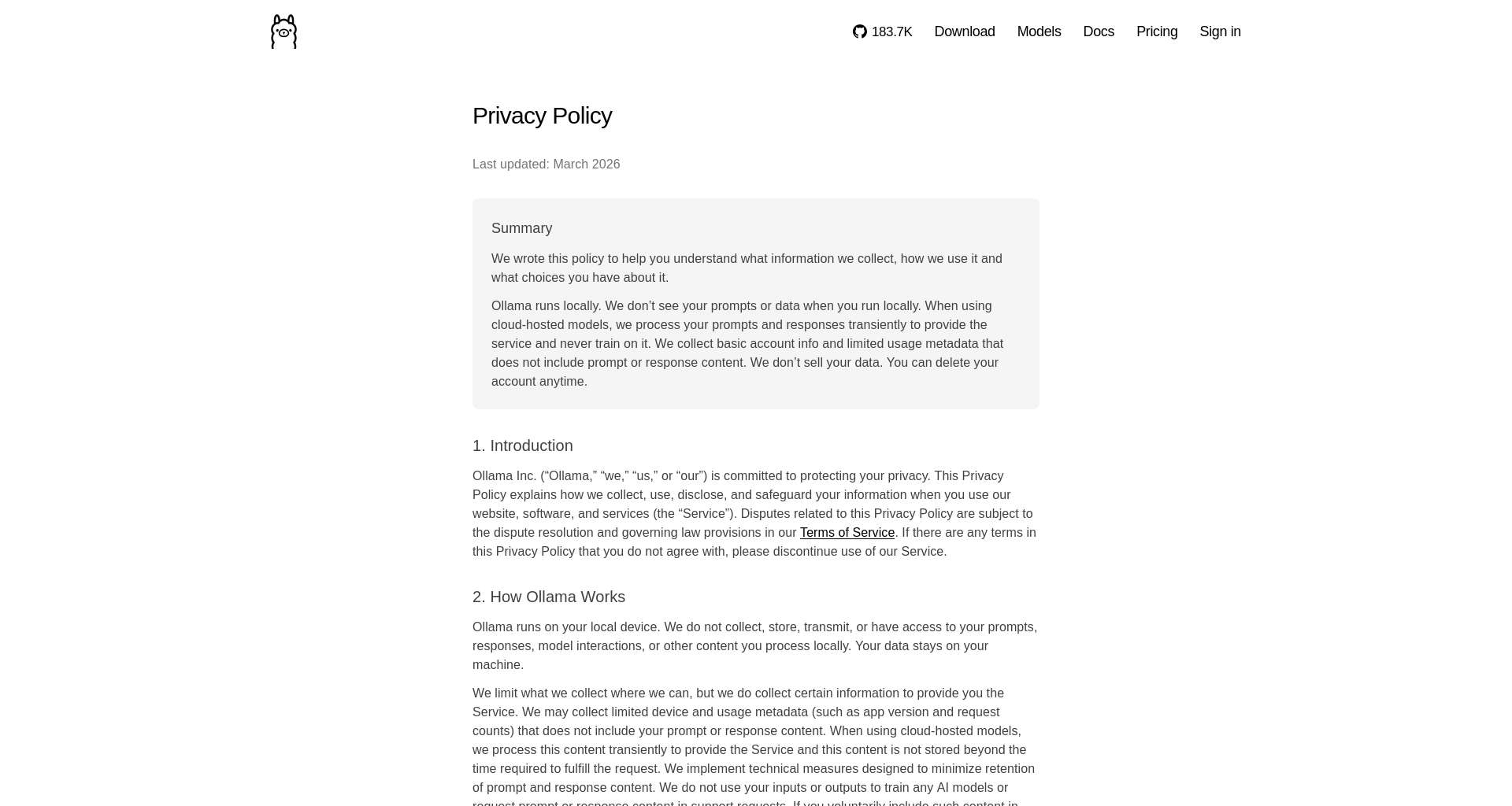
Courtesy: screenshot of Ollama’s privacy policy, captured through Trawl. Policy language is Ollama’s own disclosure; it is not an independent network audit.
LM Studio: offline inference still has online operations
LM Studio’s offline-operation documentation says downloaded models can be used for local chat, document chat/RAG, and a local inference server without internet connectivity. The same page lists activities that do require connectivity, including searching for and downloading models, catalog statistics, downloading runtimes, and checking for application updates.
Its desktop app privacy policy, effective June 2026, further distinguishes local requests from optional cloud processing and says app-update checks and model search/download involve network requests. This is a useful operational distinction: a prompt can stay local while the application still contacts a service for a separate purpose.
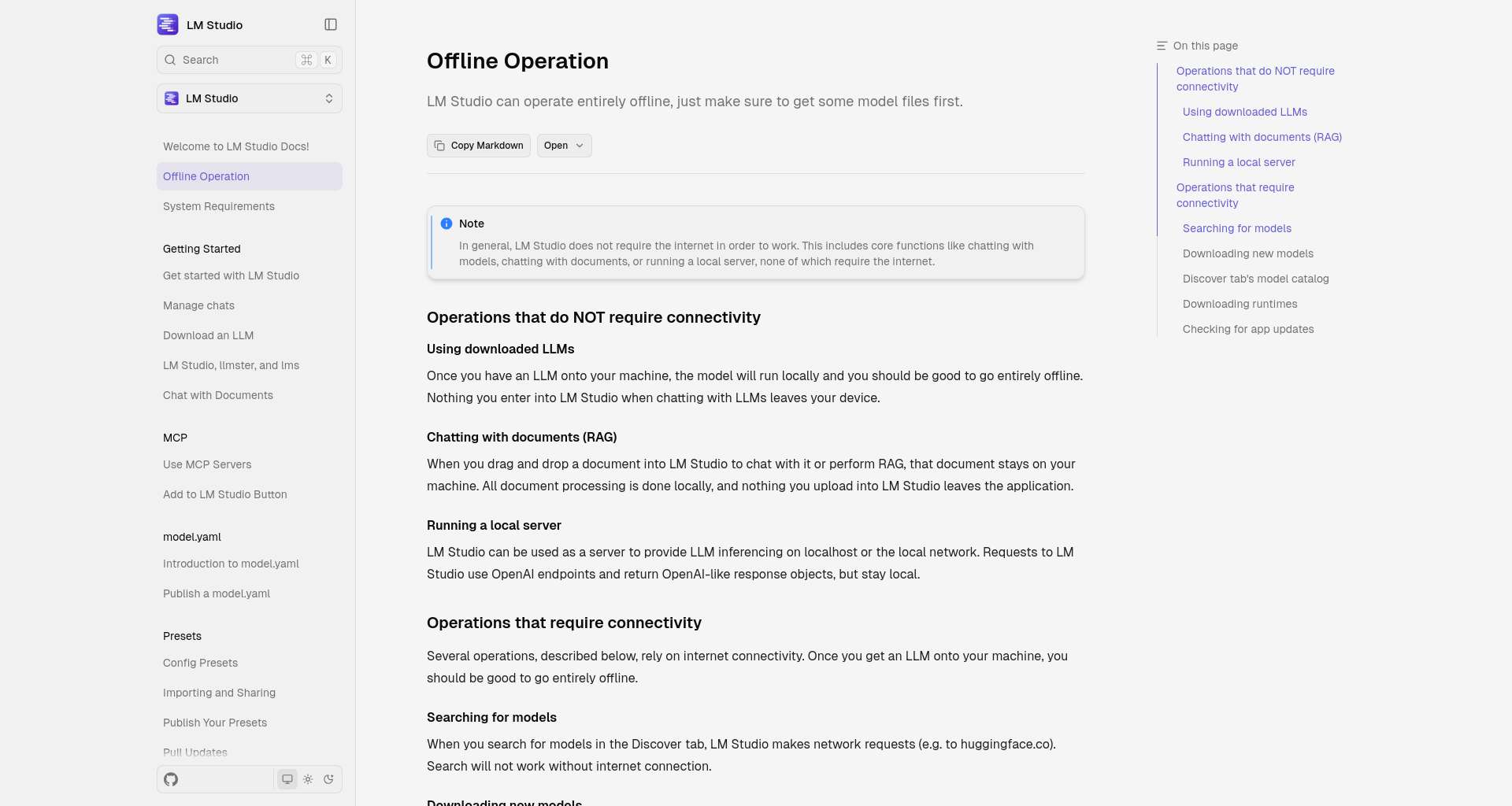
Courtesy: screenshot of LM Studio’s offline-operation docs, captured through Trawl. See the app privacy policy for its separate data-handling disclosures.
llama.cpp: the server boundary is your responsibility
The llama.cpp security policy explicitly discusses untrusted models, untrusted inputs, privacy, untrusted networks, and multi-tenant deployment. Maintainers recommend isolating untrusted models, keeping the runtime updated, and checking downloaded artifact hashes against a known-good value. Its server documentation documents API-key options and configurable host binding. These controls matter because a local inference server can become a network service if you bind it to a LAN or public interface.
None of these provider pages is a guarantee that every surrounding workflow is private. Treat them as documented product claims, then verify the settings, route, and network behavior you actually use.
Where data can leave in a “local AI” workflow
1. Model search and artifact downloads
Finding a model by typing a niche query into an app can disclose that query to the app’s catalog service. Downloading weights necessarily contacts a host or mirror. Even if the prompt never leaves your device, the download can reveal a model choice through account, IP, or service metadata depending on the provider’s policy.
For sensitive environments, choose the model before the work session, fetch the artifact through an approved source, record its repository and revision, and validate a published checksum when available. Avoid assuming that an “uncensored” tag proves provenance: inspect the model card, base model, quantization, license, and conversion source. Our AI model directory links model records and source pages; our guide to abliterated versus uncensored models explains why the labels themselves are not guarantees.
2. “Local” applications with cloud buttons
One interface can offer local and hosted models side by side. A fallback setting may quietly route a request to a remote model after a local timeout. A web-search tool may send the query to a search provider and return snippets to the model. A cloud embedding or reranking service may receive document passages even if generation is local.
Check the active model name, provider selector, fallback policy, web-search switch, and any “improve responses” or account feature separately. If the app cannot show the destination for a request, use non-sensitive test text first and inspect the provider’s request logs or documented routing controls. Do not use sensitive data as a diagnostic payload.
3. Coding agents, MCP, and plugins
An agent’s context is broader than the prompt you typed. It may read files, collect terminal output, call a browser, search the web, or send tool arguments to an MCP service. The model can be local while a tool runs remotely—or the reverse. Extensions may also retain their own logs.
Before opening a private repository, check:
- Which provider handles the agent’s main model, planning model, embeddings, and fallback?
- Does the agent send whole files, selected snippets, diffs, or command output?
- Which MCP servers, browser tools, telemetry features, and extension services are enabled?
- Can the agent access secrets, environment files, SSH keys, or production credentials?
- Where are transcripts, tool traces, crash reports, and backups stored, and how long are they retained?
Start with least privilege: a clean working tree, read-only access where possible, an explicit file allowlist, and no production secrets in the agent’s environment. Review shell commands and network calls before approving them. Our coding-agent directory helps compare the software layer, while the agent prompt-injection testing guide covers why local inference does not remove tool-execution risk.
4. Local API exposed beyond the machine
“Local server” can mean loopback-only, reachable by your home network, or exposed through a tunnel. These are very different trust boundaries. A server listening on 127.0.0.1 is generally limited to the same host; binding to 0.0.0.0 makes it listen on available interfaces. Firewall rules, reverse proxies, container networking, and tunnels can change who reaches it.
For a single-user workstation, prefer loopback. If another device must connect, use authentication, restrict the source network, encrypt traffic across untrusted networks, and avoid exposing an unauthenticated inference endpoint to the public internet. Do not confuse an OpenAI-compatible API shape with built-in access control.
5. Logs, histories, and backups
“Not sent to a model provider” does not mean “not stored anywhere.” Desktop chat histories, IDE-agent transcripts, terminal scrollback, proxy logs, observability traces, shell history, crash dumps, and cloud backups can all preserve prompts or retrieved code. A locally stored transcript may still sync if the containing home directory or backup service is cloud-backed.
Choose retention deliberately. Exclude sensitive workspaces from telemetry where possible, redact secrets before logging, protect local history with disk encryption and OS access controls, and understand what your backup client uploads. If a policy or contract requires deletion, check each storage layer instead of deleting only the visible conversation.
A practical privacy setup for an uncensored local model
Use this sequence before putting confidential material into a new setup:
- Verify the model. Read the source model card and license, identify the exact revision/quantization, and use a trusted runtime. Treat unknown repositories as untrusted software artifacts.
- Prove the inference route. Select the local model explicitly; disable cloud fallback, web search, and remote embeddings for the test. A UI label is a clue, not proof.
- Separate discovery from work. Download and update during a controlled maintenance window, then run the approved local workflow offline if your threat model requires it.
- Minimize agent permissions. Limit files and tools, remove secrets from the process environment, and approve shell/network actions instead of granting blanket access.
- Keep the server private. Use loopback by default. For remote use, require authentication and network restrictions; avoid public exposure.
- Inspect storage. Find conversation histories, agent logs, proxy traces, backups, and crash reports. Set retention and deletion rules.
- Test with harmless data. Confirm which endpoints are contacted in a controlled session. Do not capture or publish sensitive prompts, headers, tokens, or customer records as evidence.
- Re-check after updates. App versions, plugins, model providers, and defaults change. Revisit the privacy policy and settings when the workflow changes.
If you want a starting point for matching a local model to your machine, try the local AI model fit tool. Hardware fit and privacy are separate questions: the tool can help estimate what may run, but it cannot certify an application’s network behavior.
Are uncensored or abliterated models more private?
No. “Uncensored” or “abliterated” usually describes an intended change to refusal behavior or a publisher’s positioning. It says nothing by itself about where inference runs, whether a model file is trustworthy, how an app handles telemetry, or whether an agent sends context to a remote tool.
It also does not mean “safe for every task.” Removing or changing refusal behavior can affect reliability and safety in ways that vary by model and method. Evaluate the actual model, license, data path, and tool permissions independently. For comparisons and model-specific caveats, browse the uncensored local LLM guide and the AI model directory.
Frequently asked questions
If a model runs locally, can its prompt still leave my computer?
Yes. The model runtime may be local while an app feature, agent tool, cloud fallback, web search, remote embedding service, or plugin sends selected context elsewhere. Verify the full request path.
Does offline mode guarantee that the computer has no telemetry?
No. It can prevent network transfer while disconnected, but it does not prove what the software would send when connectivity returns or what is written to local logs. Check the product’s policy and test the actual configuration.
Are local uncensored models anonymous?
Not automatically. The model itself may not know who you are, but the app, catalog, hosting account, network, logs, or tools can associate activity with a device or account. “Local” and “anonymous” are different properties.
Is a localhost inference API safe to expose on my LAN?
Not by default. Confirm the bind address, authentication, firewall, and clients that can connect. Treat a LAN endpoint as a shared service, not as a private desktop process.
What is the strongest simple privacy test?
Use harmless test text, confirm the active provider and tool routes, disconnect the network to test offline behavior, and review documented endpoints and local logs. A short test can increase confidence, but it is not a formal security audit.
Source website screenshot
Sources and image references
- Ollama Privacy Policy — local and cloud request disclosures.
- LM Studio Offline Operation — offline capabilities and operations that require connectivity.
- LM Studio Desktop App Privacy Policy — update, model-search, and cloud-service disclosures.
- llama.cpp Security Policy — maintainer guidance for untrusted models, inputs, and networks.
- llama.cpp server documentation — server options and API-key controls.
- Generated editorial hero image — original illustration; not product evidence.
- Ollama policy screenshot — Trawl viewport capture; courtesy of Ollama.
- LM Studio offline-docs screenshot — Trawl viewport capture; courtesy of LM Studio.
Keep reading
Related reading
⚡ AI Engineering Briefing
AI model releases, practical tutorials, developer tools, and engineering research. Unsubscribe anytime.
Comments
Comments are temporarily unavailable while the public discussion space is being configured.