Open-Weight LLM Licensing and VRAM Sizing Guide
>Navigate open-weight model licenses, commercial revenue restrictions, and GPU memory budgeting across modern local LLMs with reproducible deployment checks.
🎧 Listen — ~8 min
Audio summary not available yet

Deploying self-hosted language models in production requires balancing hardware constraints with legal reality. While marketing materials frequently label weights as "open source," real-world licensing reveals custom terms, patent riders, and commercial revenue caps that limit enterprise distribution. Simultaneously, failure to accurately calculate working memory—accounting for context lengths and KV cache overhead—leads to out-of-memory (OOM) crashes in local clusters.
+-----------------------------------------------------------------------+
|                       LOCAL DEPLOYMENT STACK                         |
|                                                                       |
|  [Legal Clearance]  -->  Apache 2.0 / MIT / Revenue-Gated Licenses    |
|                                |                                      |
|  [VRAM Allocation]  -->  Base Weights + KV Cache + CUDA Overhead     |
|                                |                                      |
|  [Inference Runtime]-->  vLLM / llama.cpp / Ollama                    |
+-----------------------------------------------------------------------+
Key takeaways
- Open-weight is distinct from OSI open source: Models labeled "open" frequently enforce commercial usage ceilings (e.g., monthly active user limits or non-compete clauses) that disqualify them from standard open-source workflows.
- VRAM calculations must include dynamic context: Static weight size is insufficient for capacity planning; attention cache footprints scale linearly with context window tokens and batch size.
- Quantization formats alter hardware requirements: Moving from 16-bit floating point down to 4-bit block formats (such as GGUF K-quants or AWQ) reduces parameter VRAM by up to 70% with negligible perplexity drift on standard tasks.
- Pre-deployment licensing audits prevent liability: Verify upstream training provenance and downstream redistribution clauses before embedding weights into software-as-a-service (SaaS) pipelines.
2. VRAM Architecture: Calculating Memory Beyond Model Weights
A frequent failure mode in self-hosted deployments is allocating GPU memory based solely on raw model disk footprints. A 14B parameter model in 16-bit precision requires roughly 28 GB of VRAM simply to load parameters into memory, leaving zero headroom for actual token generation.
1Total VRAM Required = M + KV + O + C
2
3Where:
4  M  = Model Parameter Memory (Precision bytes * Parameter count)
5  KV = Key-Value Cache Memory (Tokens * Layers * Heads * Dim * Precision)
6  O  = CUDA Runtime & Framework Overhead (~0.8 GB to 1.5 GB)
7  C  = Compute Activation Headroom (Batch Size * Sequence Length)
Parameter memory sizing
The core parameter memory $M$ is calculated straightforwardly:
$$M = P \times B$$
Where $P$ is parameter count in billions, and $B$ is bytes per parameter:
- FP16 / BF16: 2.0 bytes/parameter
- INT8: 1.0 byte/parameter
- Q4_K_M (4-bit quantization): ~0.55 to 0.62 bytes/parameter (including scale metadata)
KV cache sizing
The Key-Value (KV) cache grows dynamically with batch size and context window length. For standard Multi-Head Attention (MHA) or modern Grouped-Query Attention (GQA):
$$\text{KV Cache Size (bytes)} = 2 \times L \times H_{kv} \times D_h \times S \times B_{batch} \times P_{cache}$$
Where:
- $L$ = Number of transformer layers
- $H_{kv}$ = Number of key-value heads (significantly lower under GQA)
- $D_h$ = Hidden dimension per head ($\frac{D_{model}}{H_{attn}}$)
- $S$ = Sequence length (prompt tokens + completion tokens)
- $B_{batch}$ = Concurrent batch size
- $P_{cache}$ = Precision bytes per cache entry (typically 2 for FP16, or 1 for FP8 KV cache)
Under long-context configurations (such as 32k or 128k context windows), the KV cache can easily exceed the base model footprint. For local edge constraints, check our guide on building local AI agents: VRAM budgets and ReAct loops or test specific configurations against our local AI model fit calculator.
3. Deployment Comparison Across Hardware Tiers
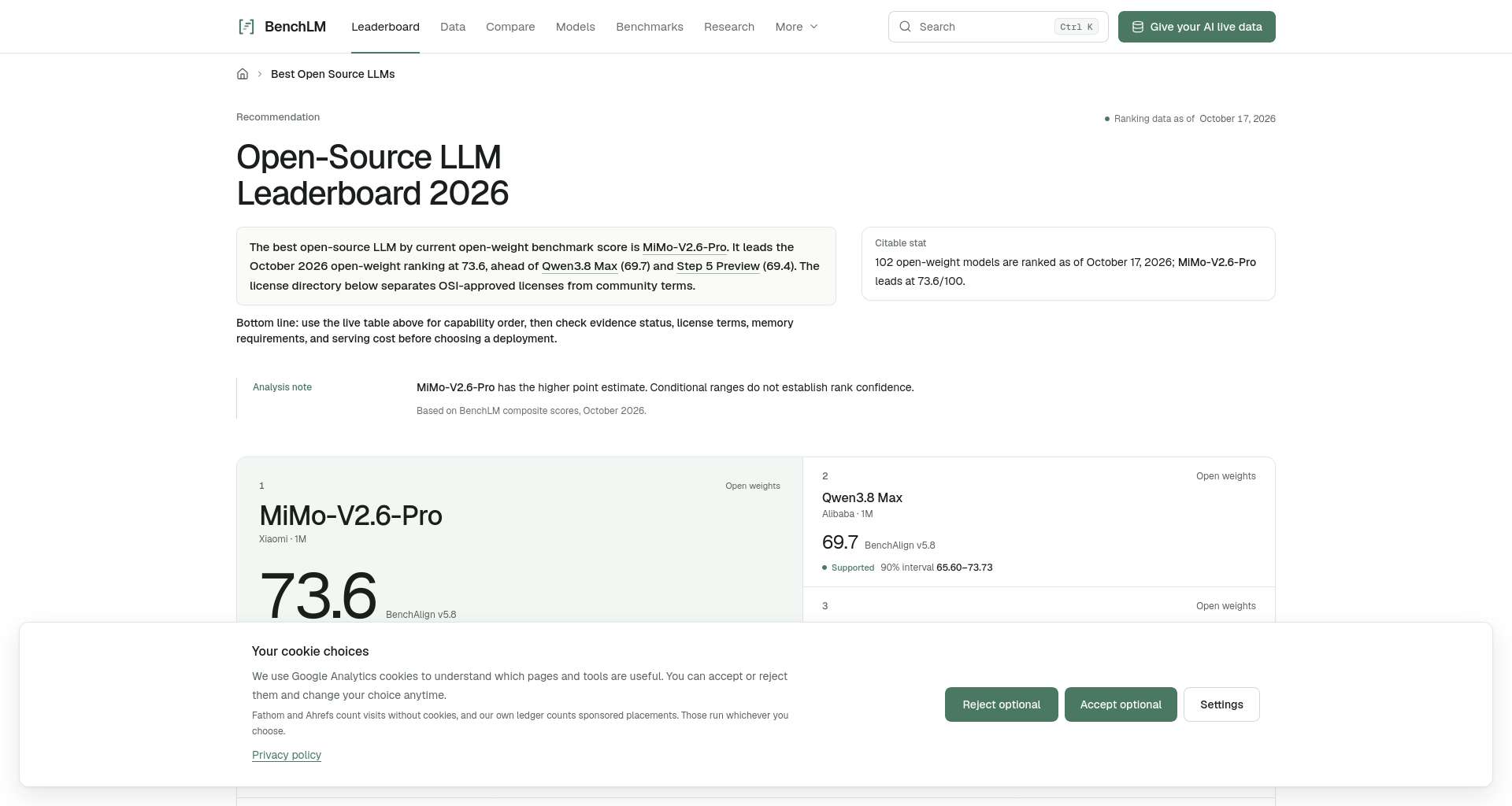
Evaluating hardware tiers requires comparing active parameter sizes, memory targets, and supported context depths. Model tracking resources such as BenchLM's Open-Source Leaderboard and hardware directories like Local AI Models categorize models across consumer, workstation, and datacenter tiers.
| Parameter Tier | Target Quantization | Minimal VRAM (8k Context) | Production VRAM (32k Context) | Typical Hardware Profile | Common Licensing Models |
|---|---|---|---|---|---|
| 3B – 4B | Q4_K_M / Q8_0 | 4 GB – 6 GB | 8 GB | Single RTX 4060 / Apple M2 (16GB) | Apache 2.0 / Custom Open-Weight |
| 7B – 9B | Q4_K_M / FP8 | 8 GB – 10 GB | 14 GB – 16 GB | Single RTX 4070 / RTX 4080 (16GB) | Apache 2.0 / Modified Permissive |
| 14B – 16B | Q4_K_M / AWQ | 12 GB – 14 GB | 20 GB – 24 GB | Single RTX 3090 / RTX 4090 (24GB) | Custom Commercial Gated |
| 27B – 35B | Q4_K_M / FP8 | 22 GB – 24 GB | 32 GB – 40 GB | Dual RTX 3090 / Apple M3 Max (64GB) | Custom Enterprise Gated |
| 70B – 72B | Q4_K_M / EXL2 | 44 GB – 48 GB | 64 GB – 80 GB | 2x RTX 4090 / Single A100/H100 (80GB) | Community License / Revenue-Capped |
4. Implementation: Quantization and VRAM Budgeting
To run models efficiently on constrained hardware, engineers rely on weight quantization techniques. Below is an end-to-end setup script that inspects hardware, quantizes a model using llama.cpp, and measures actual memory usage.
Prerequisites
Ensure you have a modern C++ compiler, CMake, and CUDA toolkit installed on your host system:
1sudo apt-get update && sudo apt-get install -y build-essential cmake git nvidia-cuda-toolkit
2git clone https://github.com/ggerganov/llama.cpp
3cd llama.cpp && cmake -B build -DGGML_CUDA=ON && cmake --build build --config Release -j$(nproc)
Quantization and execution workflow
The following script converts raw Hugging Face checkpoints to GGUF format and quantizes them to an optimal 4-bit medium representation (Q4_K_M):
1#!/usr/bin/env bash
2set -euo pipefail
3
4MODEL_ID="Qwen/Qwen2.5-7B-Instruct"
5LOCAL_DIR="./models/qwen-7b"
6OUTPUT_GGUF="./models/qwen-7b-q4.gguf"
7echo "Downloading base weights..."
8huggingface-cli download "${MODEL_ID}" --local-dir "${LOCAL_DIR}" --exclude "*.bin"
9echo "Converting weights to intermediate FP16 GGUF..."
10python3 llama.cpp/convert_hf_to_gguf.py "${LOCAL_DIR}" --outfile "${LOCAL_DIR}/fp16.gguf" --outtype f16
11echo "Applying Q4_K_M quantization..."
12./llama.cpp/build/bin/llama-quantize "${LOCAL_DIR}/fp16.gguf" "${OUTPUT_GGUF}" Q4_K_M
13rm -f "${LOCAL_DIR}/fp16.gguf"
14echo "Quantization complete: ${OUTPUT_GGUF}"
Server deployment with exact memory reservation
When launching your inference engine, configure KV cache memory and context reservation explicitly to prevent CUDA out-of-memory errors during large generation bursts:
1#!/usr/bin/env bash
2./llama.cpp/build/bin/llama-server \
3    -m "./models/qwen-7b-q4.gguf" \
4    -c 16384 \
5    -ngl 99 \
6    --flash-attn \
7    --host 0.0.0.0 \
8    --port 8080
Note: The -ngl 99 flag offloads all transformer layers to the GPU, while --flash-attn cuts KV cache memory consumption significantly.
5. Failure Modes and Mitigation Strategies
Production self-hosting introduces distinct infrastructure failure modes that differ from managed API integrations:
1. Silent context clipping vs. OOM crashing
Many runtimes silently truncate context prompts when the allocated context buffer (-c) is smaller than the input sequence. If --flash-attn is disabled and context allocation overflows physical VRAM, the driver triggers an immediate kernel abort (CUDA out of memory).
- Mitigation: Enforce client-side token counting before dispatching inference requests. For multi-step agent architectures, consult our guide on AI coding extensions and licensing telemetry.
2. Quantization degradation on logic benchmarks
Sub-4-bit quantizations (such as 2-bit or 3-bit variants) can introduce severe degradation on multi-step reasoning and syntax generation.
- Mitigation: Restrict coding models and agent drivers to a minimum of
Q4_K_MorQ5_K_M. For enterprise-grade code synthesis, reference our analysis of AI-assisted coding guardrails for technical debt prevention.
3. Concurrency concurrency saturation
Unlike proprietary cloud APIs that autoscale across compute clusters, a single GPU instance processing multiple concurrent requests will experience linear degradation in time-to-first-token (TTFT) or trigger queue backpressure.
- Mitigation: Use continuous batching engines like vLLM or configure strict rate-limiting proxies in front of single-engine instances.
6. Pre-Deployment Verification Checklist
Before exposing a self-hosted open-weight service to production users, verify the following items:
- License audit: Reviewed root
LICENSEfile for acceptable use restrictions, MAU thresholds, and commercial revenue caps. - Distillation terms: Verified that API outputs will not violate non-compete clauses governing synthetic dataset creation.
- Base memory budget: Model parameter footprint calculated against target quantization bit-width.
- KV cache headroom: Context size multiplied by batch limit fits within remaining physical VRAM with at least 1.5 GB CUDA buffer.
- Flash Attention validated: Kernel acceleration enabled to reduce dynamic memory consumption.
- OOM fallback test: Validated that passing maximum token limits returns an HTTP 400 error rather than crashing the inference process.
Source website screenshots

Frequently asked questions
What is the primary difference between open-source and open-weight models?
Open-source models, strictly defined by the Open Source Initiative (OSI), provide open access to training code, datasets, and runtime weights without restrictions on commercial use. Open-weight models release only the trained model parameters, frequently paired with custom licenses containing commercial thresholds or acceptable use restrictions.
How much VRAM does a 7B model actually require in production?
While a 4-bit quantized 7B model requires roughly 4.5 GB to 5 GB for parameter weights alone, real-world deployment requires 8 GB to 10 GB of VRAM to comfortably support an 8k-to-16k context window, dynamic KV cache, and CUDA driver overhead.
Does 4-bit quantization destroy model reasoning capabilities?
Modern quantization schemes such as GGUF K-quants (e.g., Q4_K_M) or AWQ retain near-baseline performance on common language understanding tasks. Degradation primarily appears in dense mathematical reasoning, intricate instruction-following, or highly specialized code generation when dropping below 4 bits.
Can an open-weight model be hosted on consumer hardware?
Yes. Quantized models between 3B and 8B parameters run comfortably on modern consumer GPUs with 8 GB to 16 GB VRAM (such as an NVIDIA RTX 4060 or 4070) or on Apple Silicon unified memory architectures via frameworks like llama.cpp and Ollama.
Explore source-linked model records in the AI model directory. Compare the software layer separately in the coding-agent directory.
Sources and image references
- BenchLM Open-Source Leaderboard: https://benchlm.ai/best/open-source
- Local AI Model Catalog & Hardware Sizing: https://local-ai-models.ai/local-ai-models.html
- Codersera Open-Source LLMs Landscape Analysis: https://codersera.com/blog/open-source-llms-landscape-2026/
Keep reading
Related reading
⚡ AI Engineering Briefing
AI model releases, practical tutorials, developer tools, and engineering research. Unsubscribe anytime.
Comments
Comments are temporarily unavailable while the public discussion space is being configured.