Building with the OpenAI Learn Portal and LLMs.txt Documentation
>A hands-on guide to OpenAI's developer learning hub, raw markdown endpoints, and llms.txt integration for feeding current documentation to AI coding agents.
🎧 Listen — ~9 min
Audio summary not available yet

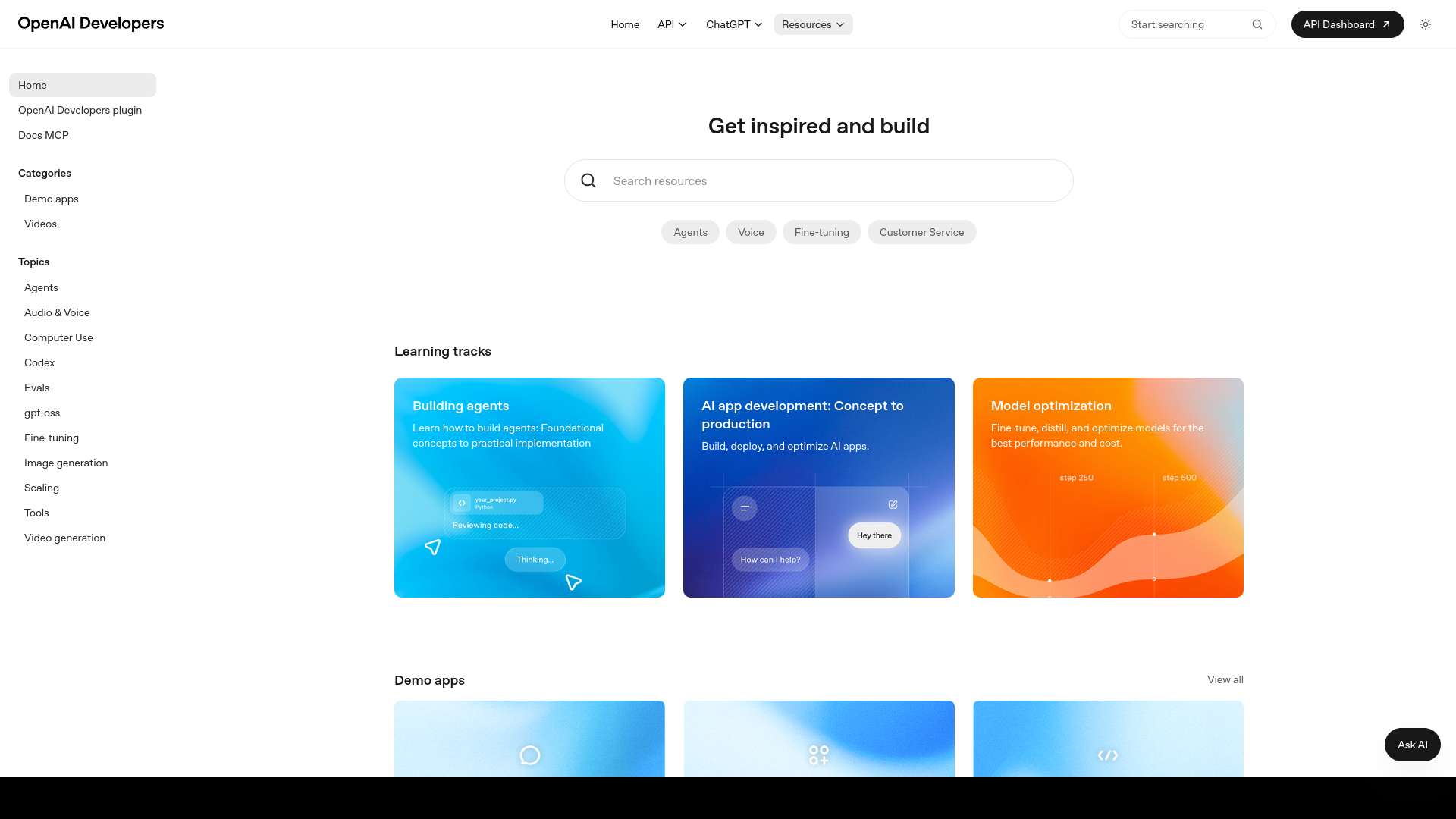
OpenAI’s official developer learning center at developers.openai.com/learn introduces an intentional architectural shift in how technical documentation is distributed. Instead of treating developer documentation solely as interactive web pages designed for human navigation, the documentation platform serves dual-modality technical assets: structured UI pages for software engineers and direct, unencumbered Markdown files accompanied by an official llms.txt registry for consumption by autonomous agents and language models.
For engineering teams working in Python, Node.js, and agentic workflows, accessing current developer documentation without scraping bloat, JavaScript payloads, or truncated HTML context windows is essential. This guide walks through navigating the OpenAI Learn portal, consuming documentation programmatically via .md URL transformations, integrating the llms.txt schema into local coding agents, and managing rate limits and local caching.
Key takeaways
- Dual-Surface Content Delivery: The portal at
developers.openai.com/learnexposes plain Markdown variants of all educational guides and API references by appending.mddirectly to any documentation URL. - Machine-Readable Indexing: An official
/llms.txtfile acts as a manifest, enabling local developer agents and LLM tooling to discover, parse, and ingest OpenAI specifications without brittle web scraping. - Zero-Friction Context Pipelines: Developers can ingest canonical API guides directly into retrieval-augmented generation (RAG) loops and coding agents such as Cline, Continue, and OpenCode without paying a context token penalty for styling markup.
- Architectural Trade-Off: Raw markdown consumption removes navigational visual context, making selective caching and strict schema filtering mandatory when wiring manifests into CI/CD or agent harnesses.
1. Architectural mechanics: Markdown endpoints and llms.txt
The core engineering advantage of the portal lies in two structural features:
- Deterministic Markdown Transforms: Appending
.mdto any standard canonical path (e.g.,https://developers.openai.com/learn.mdor specific concept pages) returns the raw, unrendered Markdown payload stripped of navigation chrome, CSS bundles, tracking scripts, and hydration binaries. - Standardized Agent Discovery (
/llms.txt): Located at the domain root,llms.txtprovides an organized table of contents tailored specifically for context-window constraints. It categorizes entry points into core tutorials, conceptual deep dives, and technical specifications.
+------------------------------------------------------------------------+
|                      developers.openai.com                             |
+------------------------------------------------------------------------+
         |                                                 |
         v                                                 v
  Browser Client (Human)                           AI Agent / Pipeline
  GET /learn                                       GET /learn.md
  +---------------------------+                    +---------------------------+
  | Astro SSR / Hydration     |                    | Raw Markdown Stream       |
  | CSS, Scripts, Navigation  |                    | Compact Tokens, No Boiler |
  +---------------------------+                    +---------------------------+
                                                           ^
                                                           |
                                               Reads /llms.txt Manifest
When comparing raw Markdown streaming to standard headless scraping (such as Puppeteer or Playwright running in a sandbox), the token efficiency and latency metrics diverge dramatically.
Documentation delivery modality comparison
| Feature / Metric | Standard Web Scraping (HTML) | Markdown Endpoints (.md) | Manifest Ingestion (/llms.txt) |
|---|---|---|---|
| Parsing Overhead | High (DOM parsing, sanitization) | Minimal (native plain text) | Zero (structured text list) |
| Token Waste | 40%–70% (boilerplate, tags) | < 5% (pure content/code) | None (index links only) |
| Agent Latency | 1,200 ms – 3,500 ms per page | 120 ms – 300 ms per page | Instantaneous batch discovery |
| Pipeline Fragility | High (DOM selector breakages) | Low (stable Markdown tree) | Low (standardized spec) |
| Ideal Use Case | Legacy platforms lacking APIs | Direct RAG context injection | Automated agent discovery |
2. Hands-on workflow: Fetching and parsing docs for coding agents
To integrate documentation directly into an automated development environment or agent runner, developers can write lightweight ingestion pipelines. Below are concrete implementations in Python and Node.js for pulling canonical Markdown guides and feeding them into downstream tasks.
Python implementation: Automated documentation harvester
This script fetches the official OpenAI developer manifest, resolves guide URLs, converts them to their .md endpoints, and caches the clean markdown files locally for your coding assistant.
1#!/usr/bin/env python3
2"""
3openai_docs_sync.py
4Fetch official OpenAI documentation via .md endpoints using the llms.txt index.
5"""
6
7import os
8import sys
9import urllib.parse
10import requests
11
12BASE_DOMAIN = "https://developers.openai.com"
13MANIFEST_URL = f"{BASE_DOMAIN}/llms.txt"
14CACHE_DIR = os.path.expanduser("~/.cache/openai-docs-agent")
15
16def sync_documentation():
17    os.makedirs(CACHE_DIR, exist_ok=True)
18    session = requests.Session()
19    session.headers.update({"User-Agent": "DevContextHarvester/1.0"})
20
21    print(f"[*] Fetching documentation index from {MANIFEST_URL}...")
22    try:
23        response = session.get(MANIFEST_URL, timeout=10)
24        response.raise_for_status()
25    except requests.RequestException as e:
26        print(f"[!] Failed to retrieve documentation index: {e}", file=sys.stderr)
27        return
28
29    lines = response.text.splitlines()
30    target_endpoints = []
31
32    for line in lines:
33        line = line.strip()
34        if line.startswith("- [") and "](" in line:
35            url_part = line.split("](")[1].rstrip(")")
36            target_endpoints.append(url_part)
37
38    print(f"[*] Identified {len(target_endpoints)} documentation entry points.")
39
40    for path in target_endpoints:
41        if path.startswith("http"):
42            parsed = urllib.parse.urlsplit(path)
43            clean_path = parsed.path.rstrip("/") + ".md"
44            target_url = urllib.parse.urlunsplit((parsed.scheme, parsed.netloc, clean_path, "", ""))
45            local_filename = parsed.path.strip("/").replace("/", "_") + ".md"
46        else:
47            clean_path = path.rstrip("/") + ".md"
48            target_url = f"{BASE_DOMAIN}{clean_path}"
49            local_filename = path.strip("/").replace("/", "_") + ".md"
50
51        target_file = os.path.join(CACHE_DIR, local_filename)
52
53        print(f"[-] Pulling {target_url} -> {local_filename}")
54        try:
55            doc_res = session.get(target_url, timeout=15)
56            if doc_res.status_code == 200:
57                with open(target_file, "w", encoding="utf-8") as f:
58                    f.write(doc_res.text)
59            else:
60                print(f"[!] Skipped {target_url} (HTTP {doc_res.status_code})")
61        except requests.RequestException as err:
62            print(f"[!] Error fetching {target_url}: {err}")
63
64    print(f"[+] Complete. Documentation cached to {CACHE_DIR}")
65
66if __name__ == "__main__":
67    sync_documentation()
Node.js / TypeScript implementation: Dynamic context loader for agents
For engineers building tools in TypeScript or integrating context directly into VS Code extension environments, you can stream markdown resources dynamically during tool calling.
1import axios from 'axios';
2
3interface DocSnippet {
4  sourceUrl: string;
5  content: string;
6}
7
8export async function fetchCanonicalDoc(docPath: string): Promise<DocSnippet> {
9  const normalizedPath = docPath.startsWith('/') ? docPath : `/${docPath}`;
10  const targetUrl = `https://developers.openai.com${normalizedPath.replace(/\.md$/, '')}.md`;
11
12  const response = await axios.get<string>(targetUrl, {
13    headers: { 'Accept': 'text/markdown' },
14    timeout: 8000
15  });
16
17  return {
18    sourceUrl: targetUrl,
19    content: response.data
20  };
21}
22
23// Example usage within an agent tool execution:
24// const docs = await fetchCanonicalDoc('/learn');
25// agentContext.push({ role: 'system', content: `Current Official Docs:\n${docs.content}` });
3. Configuring coding agents to use official documentation
When configuring tools like Continue, Cline, OpenCode, or custom LangChain/LlamaIndex pipelines, relying entirely on static model memory introduces hallucinations. Teams should wire these tools to reference real-time documentation directly.
Step 1: Establish local repository documentation links
Maintain an updated subfolder (e.g., .docs/openai/) in your Git repository containing current API syntax, or configure your agent to query a local proxy server. For broader context on structuring agent workflows and workspaces, review our guides on AI vibe coding environments and AGENTS.md optimization and securing AI agent infrastructure.
Step 2: Configure automated documentation refresh hooks
Set up a weekly GitHub Actions workflow or a pre-commit check that executes your sync script. This guarantees that if OpenAI introduces breaking changes to SDK calls or deprecates models, your local development harnesses absorb the .md documentation files before engineers begin writing broken boilerplate.
Step 3: Implement token budgeting and semantic chunking
Raw Markdown files, while significantly smaller than HTML payloads, can still exceed 5,000 tokens per comprehensive tutorial. Use simple markdown splitters (splitting by ## and ### headers) before stuffing content into system prompts to preserve context windows for actual code generation.
4. Limitations, engineering caveats, and alternatives
While the Markdown-first approach simplifies retrieval, several technical constraints require attention:
- Loss of Interactive Elements: The raw Markdown endpoints omit interactive elements such as live request consoles, dynamic SDK code switchers, and embedded diagrams. If an engineering problem requires inspecting interactive curl payloads that rely on client-side JS generation, human developers must still inspect the rendered portal.
- Rate Limiting on Automated Fetching: Rapid automated pulling across the entire index without proper caching or connection pooling may trigger Cloudflare or edge rate limits on the host domain. Ingestion pipelines should implement caching headers (
ETag,If-Modified-Since) rather than hammering the endpoints unconditionally. - Lack of Semantic Search Out-of-the-Box: The
/llms.txtfile is an index, not a search engine. To implement true "ask your docs" capabilities across complex stacks, developers must build a vector index or lexical search layer on top of the fetched files.
Architectural alternatives
If you are evaluating how to supply accurate documentation to developer agents across multiple ecosystems:
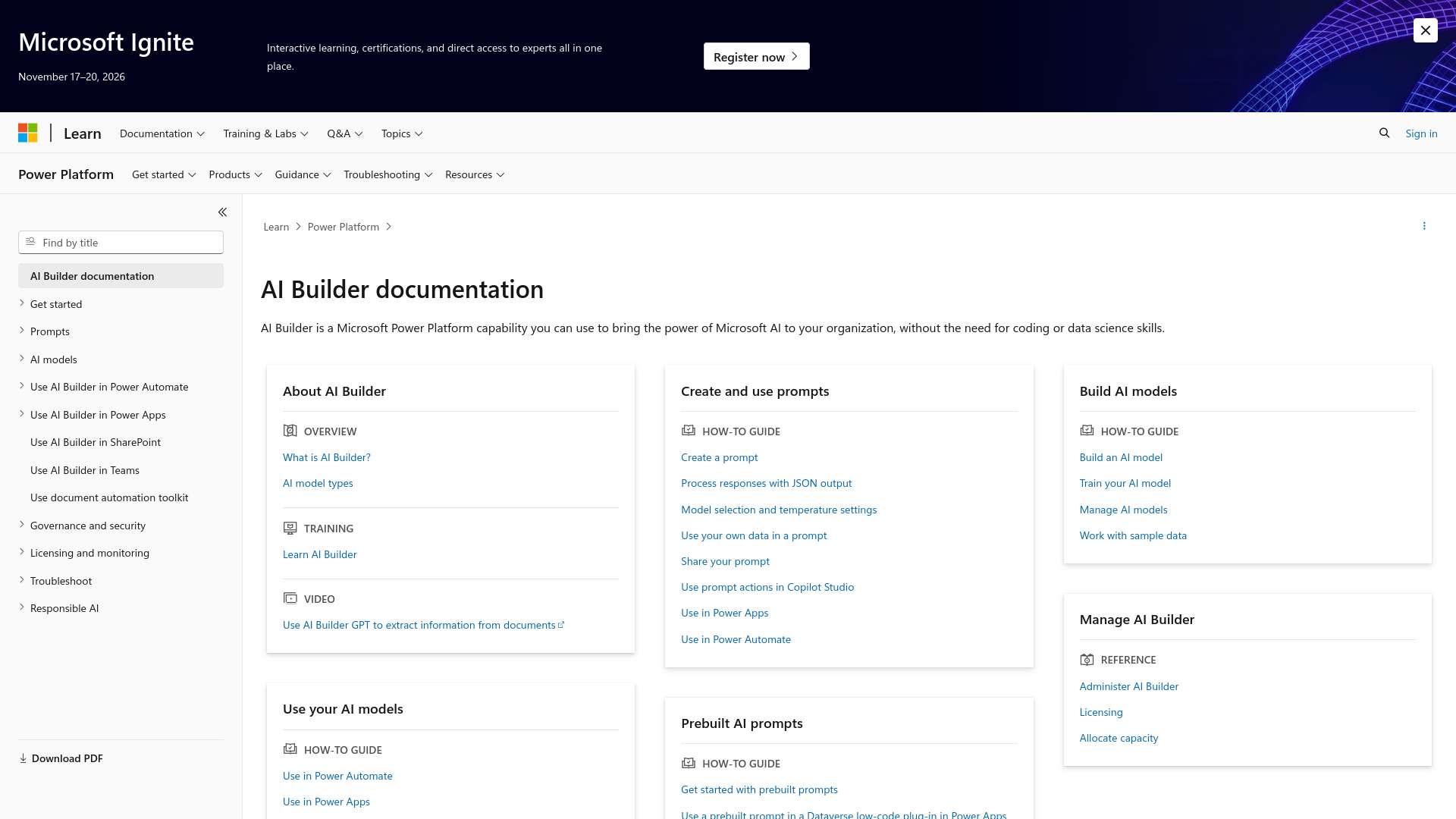
- Microsoft Learn AI Platform: Microsoft exposes structured docs and Graph-integrated APIs across their documentation network at learn.microsoft.com/en-us/ai-builder, which pairs well with Azure-based agent retrieval stacks as detailed in our guide on agentic retrieval with Azure AI Search and MCP.
- Google Cloud AI Documentation: Google provides structured developer resources for enterprise agents at docs.cloud.google.com/docs/ai-ml, focusing on Google Cloud SDKs and platform deployment patterns.
- Open-Source Local Aggregators: Tools such as Mintlify, DocSearch, or custom Sphinx-based documentation builds offer comparable Markdown exports for custom enterprise software.
5. Verdict: A pragmatic blueprint for modern developer documentation
OpenAI’s decision to publish clean .md endpoints and an authoritative llms.txt file at developers.openai.com/learn represents a sound, developer-first engineering standard. It acknowledges the modern reality of software engineering: software documentation is now consumed as much by AI coding agents and RAG loops as it is by humans sitting in front of web browsers.
By removing HTML scraping friction and providing clean Markdown streams, OpenAI significantly reduces the implementation cost of building context-aware developer tools. While developers must still implement token budgeting, local caching, and heading-based chunking, adopting this pattern eliminates an entire class of agent hallucinations caused by outdated internal model training.
Source website screenshots
Frequently asked questions
How do I access the raw Markdown version of any OpenAI documentation page?
You can access the plain Markdown representation by appending .md to the end of the URL path on developers.openai.com (for example, navigating to https://developers.openai.com/learn.md).
What is the purpose of the llms.txt file?
The llms.txt file is a machine-readable directory specification located at the root of a website (/llms.txt). It provides autonomous agents, crawlers, and LLMs with a clean, structured index of documentation links and summaries, bypassing the need to scrape or parse complex HTML sitemaps.
Does fetching documentation via .md require an API key?
No. The documentation endpoints at developers.openai.com are public web resources and do not require OpenAI API authentication. However, standard HTTP rate limits and edge protections apply to aggressive crawling.
Can I feed these Markdown files directly into my IDE coding assistant?
Yes. You can store the synchronized Markdown files inside your project directory (such as in a .cursor/rules, .continue, or .docs directory) or configure local retrieval tools to inject relevant sections directly into your assistant's context window.
Sources and image references
- OpenAI Developers Learn Portal: Canonical educational documentation and guide repository. URL: https://developers.openai.com/learn
- Microsoft Learn AI Documentation: Enterprise documentation hub for AI Builder and SDK architectures. URL: https://learn.microsoft.com/en-us/ai-builder/
- Google Cloud AI and ML Documentation: Architectural developer documentation for Google AI cloud platforms. URL: https://docs.cloud.google.com/docs/ai-ml
- OpenAI Developer Platform OpenGraph Asset: Canonical platform badge and social reference preview. URL: https://developers.openai.com/open-graph.png (Courtesy: OpenAI Developers platform; rights held by the platform owner).
Keep reading
Related reading
⚡ AI Engineering Briefing
AI model releases, practical tutorials, developer tools, and engineering research. Unsubscribe anytime.
Comments
Comments are temporarily unavailable while the public discussion space is being configured.