Self-Host Uncensored LLMs as a Secure API (2026)
>A practical 2026 guide to serving uncensored and abliterated local LLMs behind authenticated APIs, with vLLM, Docker networking, proxy controls, and agent safeguards.
🎧 Listen — ~12 min
Audio summary not available yet

Original CLIProxy-generated editorial artwork. It illustrates the deployment concept; it is not a real product screenshot or a security certification.
Serving an uncensored or abliterated open-weight model as an API is straightforward; exposing it safely is the engineering work. Treat the model server as an untrusted workload: keep it on a private network, put authentication and request limits at a gateway, expose only the routes clients need, and do not let model output directly authorize tools or code execution.
This guide focuses on a small production-style deployment for a team or private application—not on changing a model’s refusal behavior. “Uncensored” and “abliterated” are community labels for model behavior or a claimed transformation. Neither label is a security property, quality score, or permission to remove controls around the service.
If you are still choosing a checkpoint, browse the source-linked AI model directory; if users will call it through an IDE or terminal agent, compare the execution layer in the coding-agent directory. This article covers the service boundary between those two layers.
Key takeaways
- Keep inference private by default. A local or open-weight model can still be reachable by every host that can connect to its port.
- vLLM’s API-key option is useful, but its own security guide says it does not protect every route; place it behind an allowlisting reverse proxy and firewall.
- Docker’s
-p PORT:PORTcan publish a port on all host interfaces. Bind to loopback for a host-local proxy, or use a private container network without publishing the inference port. - Give each user or application a revocable gateway credential. Do not share the model server’s administrative or backend key with browsers, desktop agents, or untrusted clients.
- Treat prompts, completions, request IDs, and tool arguments as sensitive operational data. Decide what to log and retain before launch.
- Make the model propose actions; let ordinary application code enforce authorization, approvals, and sandboxing.
1. Define the deployment boundary first
There are at least four distinct “local” deployments, and they have different risks:
| Pattern | Who can normally reach inference? | Appropriate starting point | Main risk to resolve |
|---|---|---|---|
| Single workstation | Processes on one machine | Personal experiments and private prototyping | Other local users, apps, plugins, or logs may still access data |
| Private LAN service | Devices on a trusted home or office network | Small team with controlled network membership | A LAN is not user authentication; guest and compromised devices may reach the port |
| Private cloud/VPN service | Authenticated users over a private route | Remote team or internal applications | VPN membership alone may be too broad; add per-app authorization and request limits |
| Public internet API | Any internet client that passes the gateway | A product with a deliberate public API | Abuse, credential theft, unexpected spend, denial of service, and sensitive logs |
Choose the narrowest pattern that meets the actual requirement. “We need remote access” does not automatically mean “publish the inference port publicly.” A private overlay network, a host-local reverse proxy, or an authenticated application API can be enough.
The model’s response policy is separate from the security boundary. A model that answers more prompts can still hallucinate, reveal context supplied to it, or produce unsafe commands. Conversely, a more refusal-prone model does not protect an exposed unauthenticated API.
2. Choose a runtime for the workload, not the label
Runtime choice affects packaging, concurrency, hardware support, and operations. It does not make a model safe by itself.
| Runtime or server | Useful fit | What to verify before relying on it |
|---|---|---|
| vLLM | GPU-backed API serving where batching and concurrency matter | Exact model architecture, quantization, chat template, supported endpoints, route authentication, and the current security guidance |
| Ollama | A simple local model workflow and developer-facing API | Whether the selected model is truly local, the listening interface, how remote access is protected, and whether the client’s tool format is compatible |
| llama.cpp server | GGUF-focused, flexible deployments across supported CPU/GPU backends | Build and model revisions, server flags, chat template, network binding, and any reverse-proxy controls |
| Hugging Face TGI | A dedicated serving stack and compatible API clients | Supported model and hardware combination, endpoint access level, token scope, and the deployment provider’s data policy |
vLLM documents an OpenAI-compatible server interface, and TGI documents a Messages API path that can work with OpenAI-style clients. That compatibility lowers integration friction; it does not guarantee identical tool-call behavior, model templates, limits, or security semantics. Test the exact model file, quantization, runtime version, and client together.
For a small personal machine, start with the runtime that can load your exact artifact reliably. For a shared GPU service, load testing, queueing, model lifecycle, and observability become more important than whether a launch command is only one line long.
3. Use a private service path
A practical request path is:
- Client: an application or coding agent gets a user-scoped credential, never the backend secret.
- Gateway: terminates TLS, authenticates the caller, applies per-user limits, checks request size, and allows only required routes.
- Inference server: listens on a private interface or private container network; no direct public route reaches it.
- Model storage: holds pinned model revisions and downloaded files with least-privilege access.
- Operations: records service health and usage metrics while avoiding prompt and response retention by default.
The reverse proxy is not just a place to add HTTPS. It should be the policy enforcement point. Keep the backend reachable only from that proxy, rotate the backend credential independently, and make client credentials revocable without restarting the model.
A host-local vLLM example
For a reverse proxy running directly on the same host, a local-only port mapping can be a simple first boundary. Adapt the image tag and model identifier to the versions you have validated; avoid floating latest tags for a reproducible production deployment.
1docker run --rm --name local-llm \\
2  --gpus all \\
3  -p 127.0.0.1:8000:8000 \\
4  -e VLLM_API_KEY="$VLLM_BACKEND_KEY" \\
5  vllm/vllm-openai:<validated-version> \\
6  --model <organization>/<pinned-model-revision> \\
7  --host 0.0.0.0 --port 8000
Keep VLLM_BACKEND_KEY in a secret store or a protected environment file, not in source control, shell history, a client-side bundle, or a public issue. Confirm that the exact vLLM version accepts the chosen environment setting and that the gateway actually supplies it to the backend. A successful /v1/chat/completions call proves the route works; it does not prove that every other route is protected.
If the proxy is itself a container, do not assume host loopback is a shared network. Put both containers on a dedicated private network, do not publish the model server’s port to the host, and configure the proxy to reach the backend through that network. Verify the resulting network path from another machine, not only from inside the host.
4. Understand vLLM’s API-key limitation
This is the important security detail many quick-start snippets omit. vLLM’s security documentation says API-key checks apply to documented endpoint path prefixes, while other routes on the same server can remain unauthenticated. It specifically recommends a reverse proxy that allowlists routes and adds authentication, rate limiting, and logging. The OpenAI-compatible server guide repeats that the API key alone should not be treated as the complete boundary.
For each deployed version, review the endpoint list in that version’s docs and proxy only the routes your client needs. A chat-only product may need a models-list route and a chat-completion route; it may not need administrative, debugging, profiling, scaling, or weight-update routes. Do not copy a route list blindly from a different release.
The same general principle applies to every runtime: a bearer token on one API path does not automatically secure dashboards, health endpoints, plugin routes, metrics, container ports, or multi-node communication. Inventory the complete listening surface and block everything that is not required.
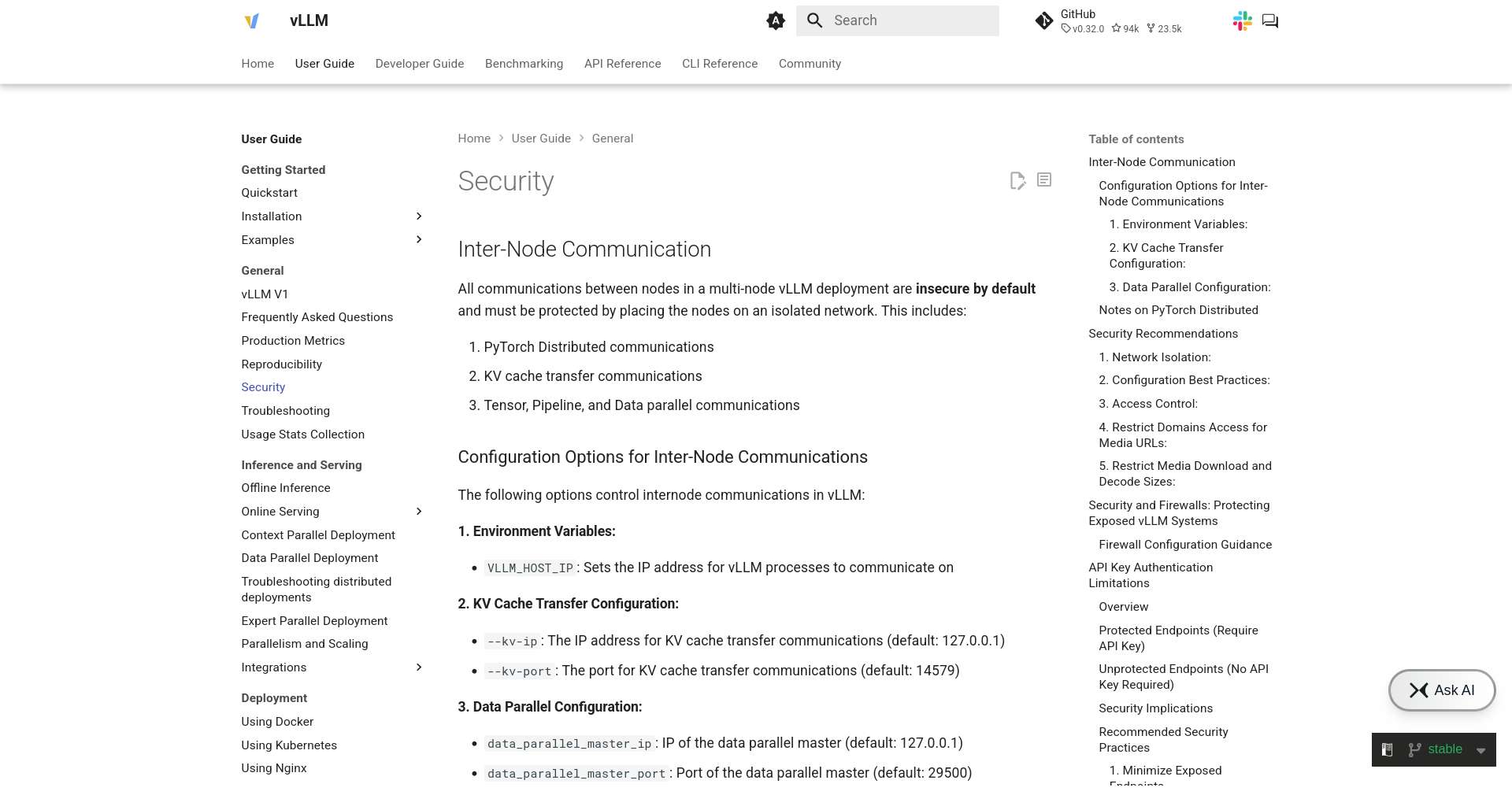
Courtesy: screenshot of vLLM’s security documentation, captured through Trawl. The docs and project remain the property of their respective maintainers.
5. Bind ports deliberately and protect the network
Docker documents that a published port without a specific host address is generally bound to all host addresses. The difference between these two examples is operationally significant:
1docker run -p 127.0.0.1:8000:8000 ...
2
3docker run -p 8000:8000 ...
The Docker port-publishing guide explains the binding behavior and caveats. A port can also be reachable through routes or firewall rules you did not intend, so verify from a second machine and inspect the host firewall, IPv4, and IPv6 exposure. For multi-node inference, follow the runtime’s instructions for isolating distributed and cache-transfer traffic; do not expose those internal ports to clients or the public internet.
For a remote team, prefer an authenticated VPN or private service network plus gateway identity. Treat “inside the VPN” as a network location, not proof that a user is allowed to invoke a particular model or spend unlimited compute.
6. Give clients scoped credentials and limits
The application-facing token and inference backend key should be different secrets. The gateway can validate a per-user token, map it to a policy, and inject the backend key server-side. If a browser or agent is compromised, revoke that user’s credential without publishing the server credential to the client.
Apply at least these controls at the gateway:
- Per-user and per-application request rates, concurrency caps, and token/output limits.
- Maximum request body size, timeouts, and bounded streaming duration.
- A model allowlist so a caller cannot select an unapproved adapter or model.
- Clear handling for overloaded queues and cancelled requests.
- Separate health checks from inference and administrative routes.
- A rotation path for both client credentials and the backend key.
Do not promise exact cost from a token limit alone. GPU occupancy, context length, KV cache, batching, model size, quantization, and concurrency all affect capacity. Track request counts, latency, queue depth, errors, and approximate token totals per credential; use those observations to set limits for your actual workload.
7. Keep agent permissions outside the model
An OpenAI-compatible API is not the same thing as a safe coding agent. If the model is connected to a terminal, repository, browser, or deployment system, use an agent framework that validates tool schemas and applies explicit permissions. Require approval for writes, network access, credential use, package installation, and deployment. Run code in a disposable, resource-limited sandbox, and treat repository files, web pages, and tool output as untrusted input.
For initial validation, give the agent read-only tools and a throwaway repository. Test normal requests, malformed tool arguments, prompt-injection text in a README, very long input, repeated tool calls, cancellation, and denied permissions. A model may propose a tool call; the application must independently decide whether that call is authorized.
Compare the model and tool layer separately: the AI model directory helps identify candidate checkpoints, while the coding-agent directory covers clients that orchestrate tools. Do not infer that a listed model is reliable for agentic work merely because it is tagged “uncensored,” “abliterated,” or “tool calling.”
8. Make logs useful without collecting everything
Operational logs help diagnose overload and abuse, but full prompts and completions may contain source code, secrets, customer records, or personal data. Start with metadata: timestamp, request ID, credential ID (not its secret), model revision, status, latency, input/output token counts where available, and a reason code for rejected requests. Redact authorization headers and avoid logging raw request bodies by default.
Set a short, explicit retention period, restrict log access, and review backups and crash dumps. If debugging requires sample prompts, use synthetic examples or opt-in, redacted traces with an owner and deletion date. Do not silently turn a temporary debugging trace into indefinite prompt storage.
9. Verify before opening access
Run this checklist from outside the host as well as from the proxy host:
- The model server is not directly reachable from the public internet or an untrusted LAN.
- Unauthenticated requests to the gateway receive an authorization error.
- Valid user credentials can call only approved model and inference routes.
- Direct calls to backend and operational routes are blocked at the network or proxy layer.
- A revoked credential stops working without exposing or rotating every other client token.
- Oversized requests, high concurrency, and long generations are bounded and return useful errors.
- Prompts, completions, bearer tokens, and tool arguments do not appear in ordinary logs.
- The exact model revision, runtime image, chat template, and serving configuration are recorded.
- Agent writes and external actions require policy checks outside the model.
- Backups, updates, and model downloads have an owner and a source-verification process.
Frequently asked questions
Is an uncensored model safe to expose as a public API?
Not by label alone. Public exposure requires ordinary API security—authentication, authorization, rate limits, abuse handling, network isolation, and operational monitoring. Model response style does not replace those controls.
Is the vLLM API key enough?
No. vLLM’s own security guidance documents routes that may not be protected by that key and recommends a reverse proxy with route allowlisting. Check the security page for the version you deploy.
Can I use Ollama for a shared team endpoint?
Possibly, but treat remote access as a separate deployment problem. Verify its listening interface and put an authenticated, rate-limited gateway in front of any endpoint reachable by other users or machines.
Does OpenAI-compatible mean every coding agent will work?
No. It describes request/response compatibility for some API surfaces. Tool calling, streaming, context limits, model names, cancellation, and agent permissions still need end-to-end testing with your exact client and model.
Should I log prompts to debug quality?
Only when there is a defined need, user notice, access control, redaction, and retention period. Begin with metadata and synthetic tests; raw prompts can include secrets and private code.
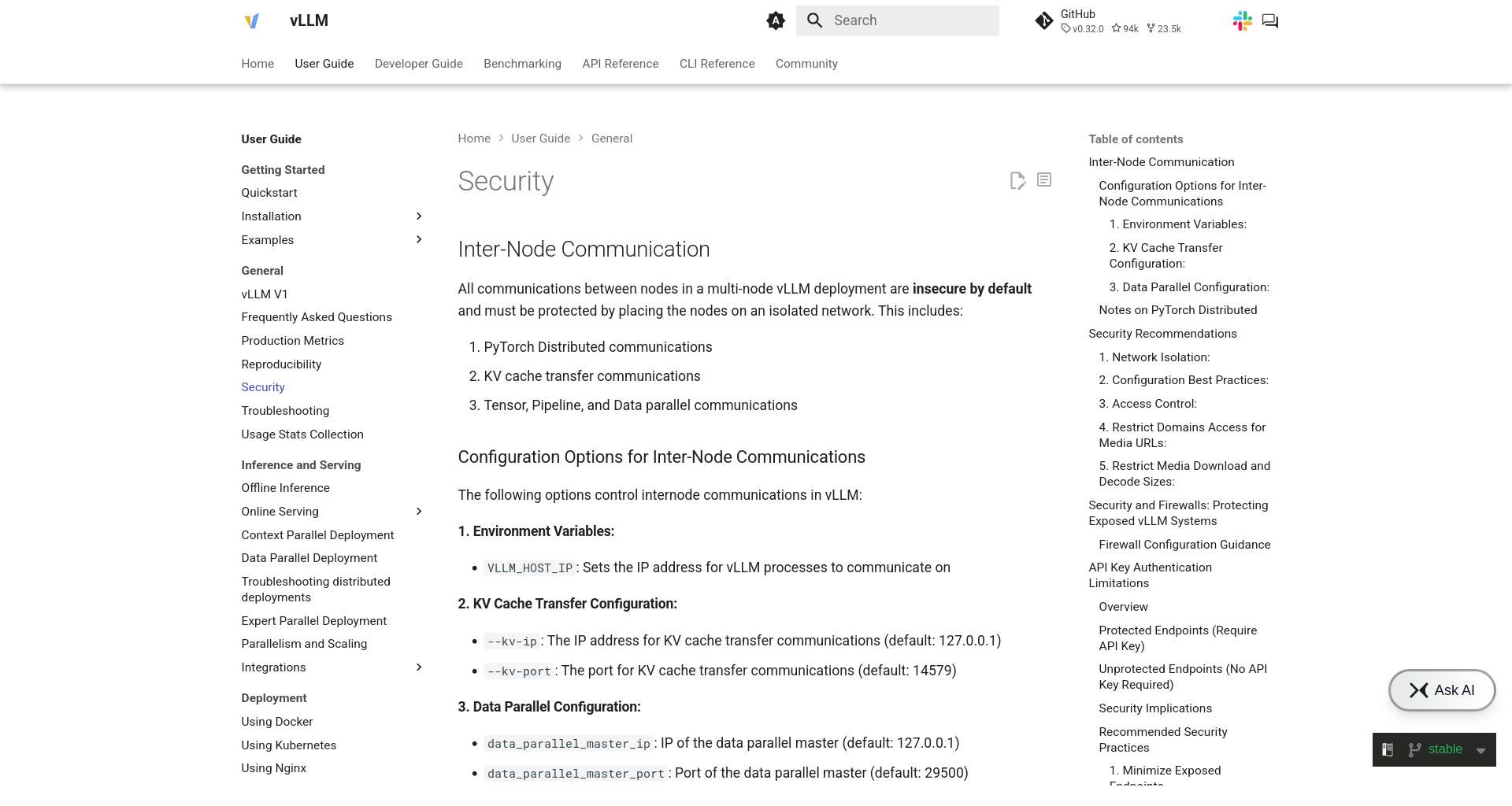
Source website screenshot
Sources and image references
- vLLM Security — API-key scope, unprotected routes, and reverse-proxy recommendations.
- vLLM OpenAI-Compatible Server — supported serving API and security caveat.
- Docker: Port publishing and mapping — host-interface binding behavior and loopback examples.
- Hugging Face TGI API reference — documented Messages API compatibility.
- Hugging Face: Serving private and gated models — token-based access for gated model downloads.
- Ollama API documentation — local API usage and supported request patterns.
- OWASP Top 10 for LLM Applications — application-layer risks to consider when models are connected to tools.
Keep reading
Related reading
⚡ AI Engineering Briefing
AI model releases, practical tutorials, developer tools, and engineering research. Unsubscribe anytime.
Comments
Comments are temporarily unavailable while the public discussion space is being configured.