Top 10 GPU Clouds and Servers for AI in 2026: H100 to RTX 5090
>Compare the top 10 GPU cloud providers and bare-metal server architectures in 2026 across NVIDIA B200, H200, H100, and RTX 5090 compute tiers.
🎧 Listen — ~18 min
Audio summary not available yet
Selecting infrastructure for high-performance deep learning in 2026 requires balancing raw floating-point operations per second (FLOPS) against memory capacity, high-bandwidth interconnects, and networking egress policies. The landscape has diverged: hyperscale training relies on NVIDIA Blackwell (B200/GB200) and Hopper (H100/H200) nodes linked via 800 Gbps to 1.6 Tbps InfiniBand or RoCEv2 fabrics, while high-throughput inference and developer sandboxes increasingly deploy dense Blackwell-generation workstation cards like the RTX 5090 alongside cost-effective enterprise accelerators like the L40S.
Engineering teams face significant pricing disparities, network bottlenecks, and availability variances across traditional hyperscalers and specialized GPU neo-clouds. This guide benchmarks the top 10 GPU cloud providers and server platforms in 2026, details the architectural differences between H100, H200, B200, and RTX 5090 deployments, and outlines clear selection criteria for AI training and inference workloads.
0. GPU price snapshot and model-fit guide (checked 23 September 2026)
GPU rental prices move with region, capacity, tenancy tier, and commitment. The figures below are provider-listed examples—not guaranteed quotes—and compare one GPU only. RunPod figures are Secure Cloud Pod rates; Hyperstack separates on-demand, reservation, and interruptible spot offers. Confirm the selected region and full machine configuration before launching.
| GPU | VRAM | RunPod Secure Cloud | Hyperstack on-demand | Lower conditional Hyperstack rate | Practical fit |
|---|---|---|---|---|---|
| RTX A6000 | 48 GB | $0.53/hr | $0.50/hr | $0.35 reserved; $0.40 spot | Strong VRAM-per-dollar for inference and LoRA; reservation terms or spot interruption apply |
| RTX 5090 | 32 GB | $0.99/hr | — | — | Fast single-GPU inference; useful for quantized small/medium models |
| RTX 4090 | 24 GB | $0.74/hr | — | — | Fast 7B–14B inference and workloads that fit in 24 GB |
| A100 | 80 GB | $1.59/hr | $1.35/hr | $0.95 reserved; $1.08 spot | More room for larger quantized models, batching, and training |
| H100 PCIe | 80 GB | $2.89/hr | $2.50/hr | $1.75 reserved; $2.00 spot | High-throughput serving and training; compare PCIe configuration and commitment |
| H100 SXM | 80 GB | $3.49/hr | $3.20/hr | $2.72 reserved | Higher-bandwidth datacenter configuration and sustained workloads |
| H100 NVL | 94 GB | $3.19/hr | — | — | Large-memory inference; confirm the listing's precise configuration |
| H200 SXM | 141 GB | $4.59/hr | $3.99/hr | $2.79 reserved | More memory headroom for large models and high-concurrency serving |
| B200 | 180 GB (RunPod); 192 GB (Hyperstack) | $6.79/hr | $6.00/hr | $5.10 reserved | Frontier-scale training and inference; expensive unless utilization is high |
The provider rate cards are RunPod's GPU pricing and Hyperstack's on-demand, reserved, and spot pricing. Spot capacity may be reclaimed; reserved prices depend on the provider's reservation conditions. Attached storage, snapshots, CPU/RAM extras, public IPs, and taxes can change the bill.
For a 730-hour month, compute alone is about $722.70 for a RunPod RTX 5090 at $0.99/hr, $386.90 for a RunPod A6000 at $0.53/hr, or $693.50 for an A100 reserved at $0.95/hr on Hyperstack. These are arithmetic estimates, not monthly plan prices; they exclude storage and other charges. A reserved GPU and an on-demand GPU are not interchangeable offers.
Choose VRAM for the model—not just the GPU generation
For quantized local inference, 24 GB is a practical starting point for many 7B–14B models and some larger models at low-bit quantization. A 27B–32B model may fit only with an appropriate quantization, context length, and runtime configuration; 24 GB can leave little space for the KV cache and runtime buffers. A 48 GB A6000 or A40 gives materially more headroom for 30B–40B quantized workloads. For 70B-class models, an 80 GB A100/H100 is often a better starting point, but fit still depends on quantization, context, and serving concurrency.
Parameter count alone does not determine whether a model fits. Quantized weights need additional memory for metadata, the KV cache, runtime buffers, and the operating system. Token throughput also varies with the exact GPU, model, quantization, context length, batch size, and inference engine. Benchmark the model and prompt shape you will actually serve before committing to a long reservation.
RTX 5090 versus H100: a workload decision
The RTX 5090's 32 GB of VRAM and lower hourly price can make it attractive for fast single-card inference when the model fits. An H100's 80 GB HBM configuration, datacenter design, and supported multi-GPU systems are more relevant for larger models, training, batching, and sustained production throughput. Neither card is universally better: compare time-to-result, usable VRAM, total monthly utilization, and software compatibility—not peak compute claims alone.
1. Hardware tier breakdown: H100, H200, B200, and RTX 5090
Evaluating compute infrastructure starts with the hardware architecture. Memory bandwidth and inter-GPU communication define the boundary conditions of transformer model parallelization.
+-----------------------------------------------------------------------------------+
|                        GPU ARCHITECTURE SPECTRUM (2026)                          |
+-----------------------------------------------------------------------------------+
|  Hardware | Microarch | Memory Type & Size | Memory Bandwidth | Primary Interconnect   |
+-----------+-----------+--------------------+------------------+-----------------------+
|  RTX 5090 | Blackwell | 32 GB GDDR7        | ~1.8 TB/s        | PCIe Gen 5 (No NVLink)|
|  H100 SXM | Hopper    | 80 GB HBM3         | 3.35 TB/s        | 900 GB/s NVLink 4     |
|  H200 SXM | Hopper    | 141 GB HBM3e       | 4.8 TB/s         | 900 GB/s NVLink 4     |
|  B200     | Blackwell | 192 GB HBM3e       | 8.0 TB/s         | 1.8 TB/s NVLink 5     |
+-----------------------------------------------------------------------------------+
NVIDIA B200: Frontier multi-modal training and FP4 throughput
The B200 features two reticle-limited dies connected by a 10 TB/s high-speed chip-to-chip link functioning as a unified GPU. With 192 GB of HBM3e memory delivering 8.0 TB/s of bandwidth, it incorporates second-generation Transformer Engine technology supporting native FP4 micro-tensor scaling.
Confirmed specification: NVLink 5 scales bidirectional multi-GPU bandwidth to 1.8 TB/s per chip. In clusters running 72 GPUs in a NVLink switch fabric (NVL72), entire MoE parameter layers fit directly within unified GPU shared memory, bypassing standard network layers during communication phases.
NVIDIA H200: The production LLM serving workhorse
The H200 shares the Hopper GH100 compute die with the H100 but upgrades memory to 141 GB of HBM3e, yielding a 43% bandwidth improvement (4.8 TB/s versus 3.35 TB/s) and a 76% capacity gain. For autoregressive generation, where memory bandwidth directly governs token generation speed in batch-constrained workloads, the H200 allows serving Llama-3 70B models at FP16 across two GPUs rather than four, minimizing tensor parallel serialization penalties.
NVIDIA H100: Stable baseline for fine-tuning and intermediate training
Available in SXM5 (700W) and PCIe (350W) forms, the H100 retains widespread deployment density. While eclipsed by the H200 in raw memory capacity, standard 8x H100 SXM5 nodes with 80 GB HBM3 per card connected by NVLink 4 remain the global benchmark for standard LoRA pipelines, agent runtime sandboxes, and embeddings production. Teams architecting containerized microservices often integrate these into production AI agent infrastructure for balanced concurrency.
NVIDIA RTX 5090: High-density workstation and edge inference
The RTX 5090 brings the Blackwell microarchitecture to workstation and density-optimized enterprise servers. Equipped with 32 GB of GDDR7 memory over a 512-bit bus, it exceeds 1.7 TB/s of local bandwidth.
Architectural analysis: While lacking enterprise features like physical NVLink, ECC HBM, and SR-IOV virtualization, RTX 5090 clusters deployed over PCIe Gen 5 motherboards provide exceptional cost-to-performance metrics for inference on quantized models (AWQ, EXL2, GGUF). When paired with efficient orchestration frameworks, developers running local open-weight inference—such as those described in our guide to running Hugging Face models locally—can host multiple 8B- to 32B-parameter models on single bare-metal chassis without incurring cloud enterprise premiums.
2. Infrastructure evaluation criteria for AI teams
Comparing GPU providers requires looking beyond the raw hourly GPU rate. Production workloads fail when networking and orchestration cannot maintain compute saturation.
- Interconnect Topology (Scale-Up vs. Scale-Out): Within a single host, verify non-blocking NVLink topology via
nvidia-smi topo -m. For multi-node training clusters, external networking must support RDMA over InfiniBand (Quantum-2 400G / Quantum-X800) or high-performance RoCEv2 with PFC (Priority Flow Control). Avoid clusters routing gradient synchronizations over standard TCP/IP. - Storage I/O and Scratch File Systems: Distributed training requires saturating GPU memory during batch ingestion. Providers must provision high-throughput NVMe-over-Fabrics (NVMe-oF) or distributed POSIX systems (such as Lustre, WekaIO, or JuiceFS) capable of sequential reads exceeding 10 GB/s per node.
- Virtualization Layer Overhead: Bare-metal deployments eliminate hypervisor-induced jitter, kernel context switching, and PCIe passthrough penalties. Virtualized instances (KVM/QEMU) must prove near-native I/O performance and direct GPU memory mapping via GPUDirect Storage (GDS).
- Data Egress and API Ecosystem: Traditional hyperscalers charge upwards of $0.05 to $0.09 per gigabyte of outbound traffic. AI-first clouds generally bundle egress or price it at sub-$0.01/GB rates.
3. Decision framework: Selecting cluster topologies
Workload Classification
  │
  ├── Multi-Node Pre-Training / MoE Training (>70B params)
  │     └── Requirement: B200 NVL72 or H100/H200 with InfiniBand/RoCEv2 Fabric
  │           └── Recommended: CoreWeave, Lambda, Azure NDv5/NDv6
  │
  ├── Enterprise Serving / High-Concurrency Inference (70B-405B params)
  │     └── Requirement: 8x H200 SXM (Large HBM3e Capacity + 4.8 TB/s Bandwidth)
  │           └── Recommended: Nebius, Crusoe Cloud, AWS P5e
  │
  ├── Mid-Scale Fine-Tuning & Quantized Inference (8B-32B params)
  │     └── Requirement: 1x to 4x H100 SXM or L40S Instances
  │           └── Recommended: RunPod, Packet.ai, GCP A3
  │
  └── Dev/Test, Quantized Edge, & Local Sandboxes
        └── Requirement: RTX 5090 Bare-Metal or High-Density PCIe Nodes
              └── Recommended: RunPod Community Cloud, Custom Bare-Metal (Supermicro/Dell)
4. Top 10 GPU cloud and server providers for 2026
The following platforms represent the industry leaders across enterprise clusters, specialized AI clouds, and bare-metal server infrastructure.
1. CoreWeave
Best for: Large-scale enterprise pre-training and massive InfiniBand fabrics.
CoreWeave has scaled from an early alternative cloud to a dominant primary infrastructure provider for organizations like Mistral AI and Microsoft. CoreWeave operates modern NVIDIA SuperPOD architectures featuring H100, H200, and early B200 allocations connected with NVIDIA Quantum InfiniBand. Their proprietary Kubernetes-native orchestration engine provisions bare-metal compute without traditional virtualization layers, minimizing startup latency for containerized deep learning jobs.
- Supported GPUs: B200, H200, H100 SXM, L40S.
- Networking: Up to 3.2 Tbps InfiniBand per node with GPUDirect RDMA.
- Caveat: Heavy focus on long-term enterprise commitments; on-demand capacity in high-demand regions is often constrained.
2. Lambda (Lambda Cloud & Clusters)
Best for: Developer-friendly AI training and academic research clusters.
Lambda remains a premier developer-centric AI infrastructure provider. Offering both on-demand cloud instances and multi-rack Lambda Clusters, the company provides pre-configured environments with the Lambda Stack (PyTorch, CUDA, cuDNN pre-installed). Lambda’s multi-node infrastructure uses Quantum-2 400 Gbps InfiniBand, making distributed training configuration straightforward.
- Supported GPUs: B200, H200, H100 SXM5, A100.
- Networking: 3.2 Tbps InfiniBand on clusters; standard Ethernet on single-node instances.
- Caveat: Low on-demand spot availability for single H100/H200 instances during peak hours.
3. RunPod
Best for: Serverless model endpoints, rapid prototyping, and mixed GPU fleets.
RunPod provides an accessible dual-tier architecture: an enterprise-grade Secure Cloud with Tier 3/4 datacenters and a decentralized Community Cloud hosting consumer-tier hardware like the RTX 4090 and RTX 5090. RunPod's Serverless GPU offering features rapid cold starts (<250ms with container caching) for production inference pipelines, as well as cost-effective pricing for independent engineers and startups.
- Supported GPUs: RTX 5090, RTX 4090, L40S, H100 SXM, H200.
- Networking: 10 Gbps to 100 Gbps Ethernet; limited multi-node RDMA support on community tiers.
- Caveat: Community Cloud instances lack SLA guarantees and should not be used for regulated data.
4. Nebius AI
Best for: European data sovereignty and full-stack high-performance IaaS.
Spun out as an independent hyperscale-grade AI infrastructure company headquartered in Europe, Nebius has deployed large-scale clusters running H100 and H200 GPUs interconnected with non-blocking 3.2 Tbps InfiniBand networks. Their proprietary software platform blends bare-metal access with managed Kubernetes (MKS), Slurm scheduling, and high-performance POSIX distributed storage for multi-terabyte dataset processing.
- Supported GPUs: H100, H200, B200.
- Networking: 400 Gbps to 800 Gbps InfiniBand with rail-optimized routing.
- Caveat: Geographic footprint is heavily focused on European regions (Finland, Netherlands).
5. Crusoe Cloud
Best for: ESG-aligned computing with low emissions and cost-optimized training.
Crusoe Cloud aligns environmental sustainability with computing efficiency by powering datacenters via stranded energy, flared natural gas, and geothermal sources. Crusoe has built enterprise-grade AI clusters offering 8-way H100 and H200 SXM nodes with Quantum-2 InfiniBand. Their pricing is competitive with top neo-clouds while providing robust carbon tracking reporting for enterprise ESG compliance.
- Supported GPUs: H100, H200, L40S, A100.
- Networking: 8x 400G InfiniBand adapters per 8-GPU node.
- Caveat: Region availability is tied to specific renewable and energy-capture sites.
6. Equinix Metal & Custom Bare-Metal Providers (Dell / Supermicro)
Best for: Dedicated multi-tenant isolation, regulatory compliance, and predictable long-term opex.
For organizations where cloud tenancy introduces compliance or cost challenges at scale, dedicated bare-metal servers hosted in colocation hubs like Equinix remain the gold standard. Utilizing platforms like Dell PowerEdge XE9680 or Supermicro GPU SuperServers, enterprises can assemble dedicated systems featuring 8x H200 or 8x B200 with liquid cooling loops. While initial capital expenditure is substantial, continuous multi-year utilization delivers the lowest effective hourly hardware cost.
- Supported Hardware: Dell XE9680 (8x H100/H200/B200), Supermicro SYS-821GE (dense RTX 5090 or PCIe accelerators).
- Networking: Custom fabric design; support for up to 800G OSFP/QSFP InfiniBand or 400G RoCEv2.
- Caveat: Requires internal network engineering and site-reliability expertise to manage hardware failures.
7. Microsoft Azure (NDv5 and NDv6 Series)
Best for: Enterprise integration, OpenAI ecosystem parity, and mission-critical SLAs.
Microsoft Azure’s NDv5 (H100) and emerging NDv6 (Blackwell) series provide top-tier cloud capacity for hyper-scale modeling. Backed by 800 Gbps Quantum-2 InfiniBand and integrated natively with Azure Machine Learning and AKS, Azure is the primary compute partner for the largest multi-modal AI labs. Teams building resilient production systems often integrate Azure instances within their applied compute agent cloud architectures.
- Supported GPUs: H100, H200, B200 (NDv6 series).
- Networking: 800 Gbps InfiniBand per host; advanced VNET integration.
- Caveat: Egress costs remain high, and strict subscription quotas often require direct enterprise sales approval.
8. Google Cloud Platform (A3 and A4 Virtual Machines)
Best for: Hybrid TPU/GPU orchestration and Google Kubernetes Engine (GKE) workflows.
Google Cloud’s A3 VMs utilize 8x NVIDIA H100 SXM5 GPUs paired with custom titanium offload engines and GPUDirect over RoCEv2 (Falcon network interface). GCP’s competitive advantage lies in GKE orchestration, allowing seamless integration between NVIDIA GPU estates and Google’s own TPU v5p/v6 architectures within a single control plane.
- Supported GPUs: H100, H200, B200 (A4 series).
- Networking: Up to 3.2 Tbps aggregate network bandwidth via custom RoCE interfaces.
- Caveat: Interconnect configurations rely on GCP-specific networking topologies rather than pure InfiniBand.
9. Amazon Web Services (AWS EC2 P5 and P6 Instances)
Best for: Production multi-service backend integration and global footprint.
AWS EC2 P5 instances (featuring 8x H100 SXM) and the next-generation P6 family (B200) rely on AWS’s proprietary Nitro architecture and second-generation Elastic Fabric Adapter (EFA). While EFA implements a custom RoCE-like reliable datagram protocol (SRD) rather than pure InfiniBand, it scales reliably across tens of thousands of instances alongside S3, SageMaker, and CloudWatch.
- Supported GPUs: H100 SXM (p5.48xlarge), H200, B200 (p6).
- Networking: 3.2 Tbps aggregate EFA bandwidth.
- Caveat: Raw pricing per GPU hour is often higher than specialized competitors, with standard hyperscaler egress fees applying.
10. Spheron & Specialized Compute Marketplaces
Best for: Distributed inference, aggressive cost reduction, and spot workload fault-tolerance.
Aggregator and decentralized compute platforms like Spheron Network and Packet.ai provide programmatic gateways across fractional datacenter capacity. By aggregating unallocated enterprise capacity and verified regional hosting hubs across the globe, these platforms allow AI developers to deploy fine-tuning jobs and high-concurrency inference endpoints at steep discounts compared to static long-term reservations.
- Supported GPUs: B200, H200, H100 NVL, RTX 5090, RTX 4090.
- Networking: Variable; ranges from 1 Gbps up to multi-rail 100 Gbps.
- Caveat: Latency variations and node churn require defensive engineering, checkpointing, and fault-tolerant orchestration.
Additional marketplace to compare: Lium
Lium is an additional marketplace option, rather than a directly equivalent managed cluster in the ranked list above. Its public rate card is a live snapshot of provider asks: on 28 October 2026, it showed RTX 5090 at $0.58–$1.00 per GPU-hour, H100 80GB at $1.30–$2.75, H200 at $3.00–$4.22, and B200 at $5.50–$5.60. The displayed range and available pod count can change as individual hosts list or rent capacity.
Lium says pods are billed per second with no minimum; attached persistent storage is priced separately. That billing model can suit short experiments, but the GPU rate alone does not establish node reliability, interconnect, CPU/RAM, data location, or total job cost. Compare the exact pod and current availability before launch, and do not treat this dated snapshot as a quote. See Lium's live GPU pricing, network statistics, and pricing-feed documentation.
5. Comprehensive 2026 GPU infrastructure comparison
The following table summarizes specifications, interconnect fabrics, and optimal use cases across the primary platforms.
| Provider / Server Tier | Primary GPU Inventory | Node Interconnect | Ingress/Egress Policy | Primary Use Case | Target Persona |
|---|---|---|---|---|---|
| CoreWeave | B200, H200, H100 | InfiniBand (up to 3.2T) | Low / Bundled | Frontier Training & MoE | Tier-1 Labs & Unicorns |
| Lambda | B200, H200, H100 | InfiniBand (Quantum-2) | Zero / Minimal | Deep Learning Research | Researchers & ML Engineers |
| RunPod | RTX 5090, H100, H200 | 10G-100G Ethernet | Free Ingress, Cheap Out | Serverless Inference & Dev | Startups & App Developers |
| Nebius AI | B200, H200, H100 | 800G InfiniBand | Zero Egress Tiers | Sovereign LLM Pipelines | Enterprise & European AI |
| Crusoe Cloud | H200, H100, L40S | 400G-800G InfiniBand | Fair Usage Policy | ESG-Compliant Training | Climate-Conscious Enterprise |
| Equinix / Dell Bare-Metal | Custom (B200/H200/5090) | Dedicated InfiniBand/RoCE | Direct Datacenter Cross-Connect | Continuous 24/7 Processing | Mature Enterprise / FinTech |
| Microsoft Azure | NDv5 (H100), NDv6 (B200) | 800G InfiniBand | Standard Hyperscaler Metered | Hybrid Enterprise AI | Fortune 500 Enterprises |
| Google Cloud | A3 (H100), A4 (B200) | 3.2T Falcon RoCE | Standard Hyperscaler Metered | GKE-based ML Operations | Hybrid Cloud Systems |
| AWS | P5 (H100), P6 (B200) | 3.2T EFA (SRD Protocol) | Standard Hyperscaler Metered | Integrated AWS App Backends | Production Cloud Native |
| Spheron / Marketplaces | RTX 5090, H100, H200 | Heterogeneous Ethernet | Sub-penny / Marketplace terms | Spot Inference & Batch Jobs | Bootstrapped Founders |
6. Bare-metal server deployment: Verification checklist
When provisioning bare-metal systems (e.g., custom Supermicro, Dell, or direct provider leases), verify hardware topologies before initiating training loops. Execute this bash diagnostic to ensure full interconnect links and PCIe speeds are engaged:
1#!/usr/bin/env bash
2set -euo pipefail
3
4echo "=== NVIDIA Driver & Device Enumeration ==="
5nvidia-smi --query-gpu=index,name,driver_version,pstate,temperature.gpu,utilization.gpu,memory.total --format=csv
6
7echo -e "\n=== NVLink Matrix Status ==="
8nvidia-smi topo -m
9
10echo -e "\n=== PCIe Generation and Link Width Validation ==="
11nvidia-smi --query-gpu=gpu_name,pcie.link.gen.current,pcie.link.gen.max,pcie.link.width.current,pcie.link.width.max --format=csv
12
13echo -e "\n=== InfiniBand & RDMA Interface Check ==="
14if command -v ibv_devinfo &> /dev/null; then
15    ibv_devinfo -v | grep -E "(hca_id|transport|state|active_width|active_speed)"
16else
17    echo "Warning: ibv_devinfo not found. InfiniBand drivers may not be loaded."
18fi
Script output analysis
- NVLink Matrix: Ensure the status indicators show active NVLink connections (labeled
NV1throughNV18depending on generation). If connections showPHB(PCIe Host Bridge) orSYS(System Memory traversal), cross-GPU communication will degrade throughput significantly. - PCIe Width: The current PCIe link generation must match the maximum link capability (
Gen 5operating atx16). A link operating atGen 1orx4indicates poor seating, dirty contacts, or motherboards down-clocking lanes under thermal pressure. - InfiniBand State: The interface must report
PORT_ACTIVEwith link speeds reflecting full capability (e.g., 400 Gbps NDR:active_speed: 50.0 Gbps (4X)).
7. Practical verdict: Matching hardware to operational profiles
- For teams training foundation models from scratch: Prioritize cluster scale above all else. CoreWeave and Azure NDv5/NDv6 offer the most resilient multi-thousand-GPU InfiniBand fabrics, minimizing checkpointing stalls and communication delays.
- For fine-tuning 70B+ models on private data: Choose Lambda or Nebius AI with 8x H200 nodes. The 141 GB HBM3e capacity allows full sequence length context windows without falling back to complex, multi-node memory pipelining.
- For serverless inference and API serving: Deploy to RunPod or specialized edge endpoints. For quantized models, servers with RTX 5090 nodes deliver cost-effective performance, achieving high token-per-second-per-dollar throughput.
- For sustained, predictable enterprise workloads (100% capacity utilization): Procure dedicated bare-metal nodes (such as the Dell PowerEdge XE9680) via colocation providers like Equinix Metal. The hardware amortization over 24 to 36 months beats on-demand cloud rentals, provided your organization maintains infrastructure teams to manage hardware lifecycle issues.
Frequently asked questions
Can the RTX 5090 replace enterprise H100 or H200 GPUs in production?
The RTX 5090 cannot fully replace H100 or H200 accelerators for multi-node foundation model training due to its lack of hardware NVLink bridges, smaller memory capacity (32 GB vs. 80-141 GB), and reliance on standard PCIe communication. However, for single-node quantized model inference (e.g., INT4/FP8 models under 32B parameters) and lightweight LoRA fine-tuning, dense RTX 5090 servers offer exceptional token generation performance at a fraction of enterprise cloud costs.
What is the primary difference between H100 and H200 for AI workloads?
The primary differences lie in memory architecture rather than raw compute logic. The H200 upgrades the H100’s 80 GB of HBM3 memory (3.35 TB/s bandwidth) to 141 GB of HBM3e memory (4.8 TB/s bandwidth). This allows larger models to fit into fewer GPUs and dramatically accelerates memory-bandwidth-bound tasks like the autoregressive decoding phase of large language models.
Why is InfiniBand preferred over standard Ethernet for multi-node GPU clusters?
InfiniBand provides deterministic, ultra-low latency communication and native GPUDirect Remote Direct Memory Access (RDMA). This allows GPUs across different physical chassis to write directly to each other's memory, bypassing host CPUs and kernel network stacks. Standard Ethernet introduces packet jitter, buffer drops, and software routing overhead that degrade performance during distributed collective operations like AllReduce.
Are decentralized or aggregator GPU clouds suitable for regulated data?
Decentralized marketplaces and community clouds provide cost advantages for open-source research and non-sensitive workloads, but they may present compliance challenges regarding data residency, SOC 2 Type II attestation, HIPAA, and GDPR compliance. Regulated enterprise applications should restrict deployments to dedicated bare-metal infrastructure or vetted enterprise clouds (such as CoreWeave, Nebius, or the primary hyperscalers) that offer formal Business Associate Agreements (BAAs) and hardware-level tenancy isolation.
Sources and image references
- Packet.ai GPU Cloud Provider Analysis: https://packet.ai/blog/gpu-cloud-providers
- Spheron Network Compute Overview: https://www.spheron.network/blog/top-10-cloud-gpu-providers/
- CloudMinister AI Hardware Guide: https://cloudminister.com/blog/best-gpu-servers-for-ai-machine-learning-2026-comparison/
- NVIDIA Blackwell Architecture Technical Brief: https://www.nvidia.com/en-us/data-center/technologies/blackwell-architecture/
Official live rate cards checked 23 September 2026
Visual references: what GPU infrastructure looks like
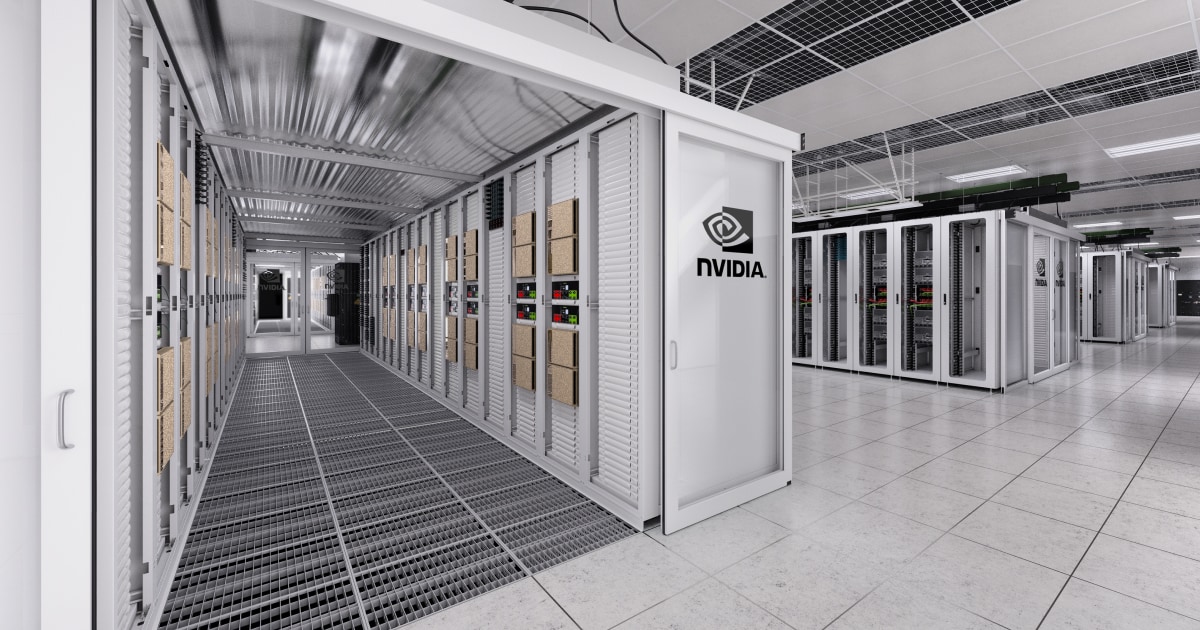
A server specification is easier to understand when it is connected to the physical system around the GPU: rack density, cooling, power delivery, networking, and storage all affect the useful throughput a team can buy.

For model selection, compare memory and inference characteristics in the AI Models Directory. For deployment clients and terminal agents, see the Coding Agents Directory; supporting utilities are in the AI Tools Directory. The AI vibe-coding environment guide explains how to keep the same GPU workflow reviewable and token-efficient.
⚡ AI Engineering Briefing
AI model releases, practical tutorials, developer tools, and engineering research. Unsubscribe anytime.
Comments
Comments are temporarily unavailable while the public discussion space is being configured.