10 OpenCode Skill Repositories Worth Trying in 2026: What They Actually Do
>A source-checked guide to ten popular OpenCode skill repositories, including setup, compatibility, trade-offs, license notes, and which coding workflow each one improves.
🎧 Listen — ~16 min
Audio summary not available yet
An AI coding agent gets its model from a provider, but the model is only one part of the development experience. The repository instructions, tools, skills, plugins, test commands, and feedback loop around it determine whether it can work reliably in a real codebase.
That is why OpenCode skill repositories have become popular: they package reusable workflows, design knowledge, codebase maps, or behavior rules that an agent can load when a task needs them. But the phrase “skill repo” is used loosely. Some entries below are portable SKILL.md packs; others are OpenCode plugins, a command-line graph builder, or a curated index. They are useful in different ways and should not all be installed the same way.
Quick answer: start with Superpowers for a structured build-and-test workflow; try UI/UX Pro Max or Impeccable for interface work; add Graphify or Understand Anything when codebase orientation is the bottleneck. Install one focused workflow first, verify OpenCode discovers it, and measure whether it improves your actual work before adding more.
At a glance
| Repository | Approx. GitHub stars¹ | Main job | OpenCode integration shape | Best starting point |
|---|---|---|---|---|
| Superpowers | 293k | Repeatable software-development workflow | OpenCode plugin that registers skills | Planning, implementation, tests, review |
| Ponytail | 148k | Concise, low-noise agent behavior | OpenCode plugin plus commands/skills | Reduce verbose back-and-forth |
| UI/UX Pro Max | 132k | Searchable design-system knowledge | Installable OpenCode skill/tooling | UI direction, palettes, typography, UX |
| Graphify | 122k | Build and query a codebase knowledge graph | CLI installer plus OpenCode skill | Large or unfamiliar repositories |
| Caveman | 108k | Concise agent output and context tools | Native OpenCode plugin, rules and skills | Leaner agent interaction; inspect license scope |
| Addy Osmani Agent Skills | 100k | Engineering workflow skill collection | Portable skills in OpenCode discovery paths | Specs, implementation, testing, review |
| Understand Anything | 85k | Interactive codebase knowledge graph | Installer links skills; optional plugin components | Architecture tours and codebase onboarding |
| Awesome Claude Skills | 76k | Curated skill and plugin directory | Browse and selectively port compatible skills | Finding a workflow, not installing a single tool |
| Archify | 74k | Architecture and flow diagrams from prompts/code | Portable skill plus renderer and validators | System diagrams and technical visuals |
| Impeccable | 73k | Design review and interface refinement | OpenCode-native skill and helper scripts | Critique, polish and UX quality passes |
¹ Rounded public GitHub snapshot checked on September 30, 2026; counts move continuously. Stars are a discovery signal, not a quality ranking or proof of OpenCode compatibility. Repositories are grouped by approximate popularity to match the supplied list, then explained by what they actually provide.
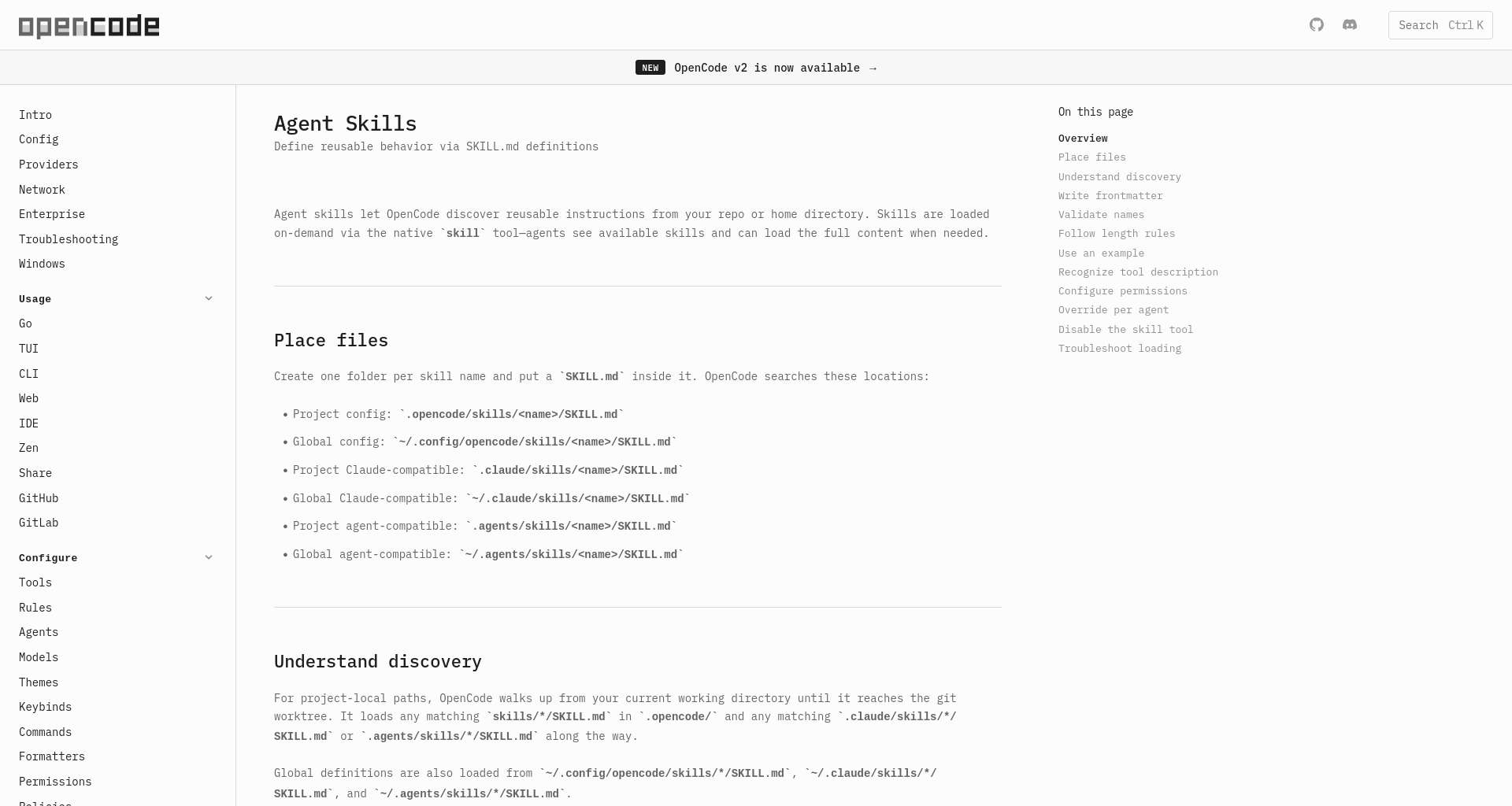
Courtesy: viewport screenshot of the official OpenCode Agent Skills documentation, captured September 30, 2026. OpenCode’s documentation is the authority for current discovery paths and metadata rules.
First, what counts as an OpenCode skill?
OpenCode’s native skill format is a folder containing SKILL.md. For a project-local skill, the canonical path is:
1.opencode/skills/<skill-name>/SKILL.mdOpenCode also discovers user-level skills and compatible .claude/skills/ and .agents/skills/ folders. The file begins with YAML frontmatter. OpenCode documents name and description as required fields, with license, compatibility, and metadata optional. It ignores unknown frontmatter fields, so a skill copied from another agent may not carry over every host-specific feature.
That distinction matters. A SKILL.md explains a workflow to the model; it does not automatically give the model new tools. A plugin can add runtime behavior or tool hooks. A CLI can generate files or analyze a repository. An MCP server supplies callable tools. Those layers can be combined, but one is not a synonym for another.
Before choosing an entry, ask:
- What changes? The agent’s instructions, the OpenCode runtime, the repository, or all three?
- When does it run? Only when invoked, automatically when a task matches, or on every turn?
- What leaves the machine? Read the data-flow and provider notes, especially for codebase analysis.
- What does “install” mean? A skill copy, a plugin package, a generated config file, or a database/graph build?
- Can you pin and remove it? Prefer reproducible versions and review the exact files an installer writes.
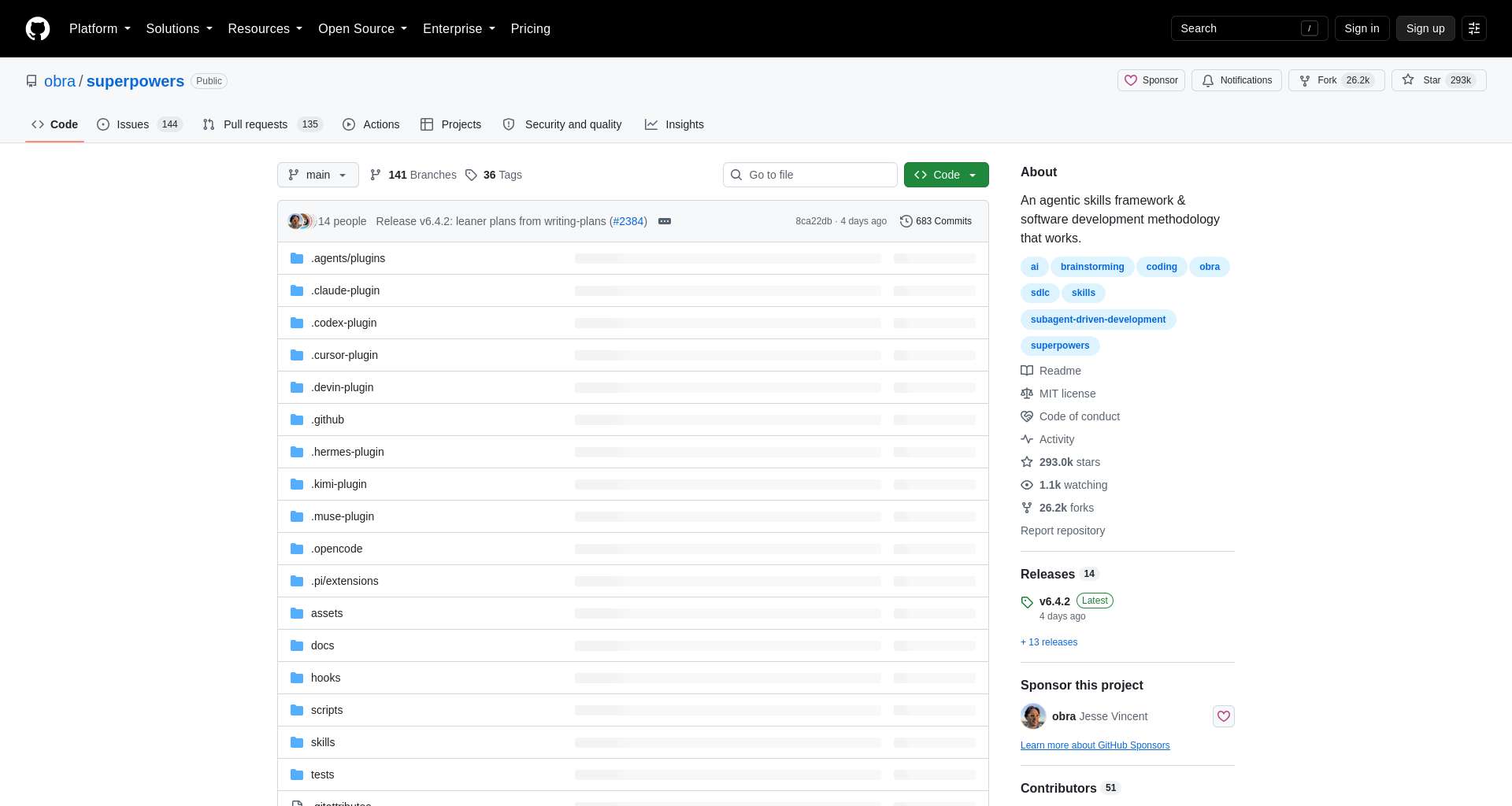
Courtesy: viewport screenshot of the Superpowers GitHub repository, captured September 30, 2026. Repository layout, release, stars, and install instructions may change after capture.
1. Superpowers — a full development workflow, not a magic model upgrade
Superpowers is the broadest workflow choice in this group. Its skills guide an agent through steps such as brainstorming, planning, implementation, test-driven development, code review, and finishing work. The practical benefit is procedural: instead of asking a model to “be careful,” the workflow gives it a sequence and checkpoints to follow.
The project publishes OpenCode-specific setup instructions. Its current guide distinguishes OpenCode V1’s singular plugin configuration from V2’s plural plugins configuration; the documented V2 path requires OpenCode 2.0.4 or later. Follow the instructions for the version you actually run rather than pasting an old config snippet from a video. After installation, restart OpenCode and use its native skill tool to list or load a skill.
Use it when: you want a consistent path from an ambiguous request to a plan, tested implementation, and review. It is especially helpful for teams whose agents tend to skip clarification or verification.
Watch for: a workflow can add steps and context. That is helpful when the task warrants rigor, but excessive ceremony slows a one-line change. Pin a release for team use, and keep project-specific AGENTS.md instructions compatible with the skills rather than duplicating or contradicting them.
Good first trial: select one medium-sized bug fix. Compare whether the agent found the right files, wrote a useful test, and completed the task—not just whether it produced a longer plan.
2. Ponytail — a behavior plugin for less noisy sessions
Ponytail is aimed at the feel and efficiency of the conversation: concise answers, less unnecessary ceremony, and selectable behavior intensity. It is not simply another pack of domain-specific coding recipes. Its OpenCode integration is distributed as a plugin, while other material in the repository supports its broader agent ecosystem.
Use it when: your agent repeatedly narrates obvious steps, over-explains simple edits, or burns interaction time on low-value commentary. Keep the level appropriate to the work: terse output is not a substitute for detailed reasoning on a risky migration or security-sensitive change.
Watch for: “fewer words” does not necessarily mean fewer model tokens, fewer tool calls, lower cost, or better correctness. Measure a representative task, including retries and verification. A style plugin can reduce visible verbosity while still leaving the underlying context and reasoning budget unchanged.
3. UI/UX Pro Max — design knowledge the agent can search
UI/UX Pro Max packages searchable design guidance: styles, color palettes, typography, UX rules, chart recommendations, and stack-specific advice. Its repository advertises support for OpenCode and documents an installer that targets the selected AI platform. The useful pattern is to ask for a design system for the product and stack, then query a specific domain—such as accessibility, color, or React performance—when implementing a screen.
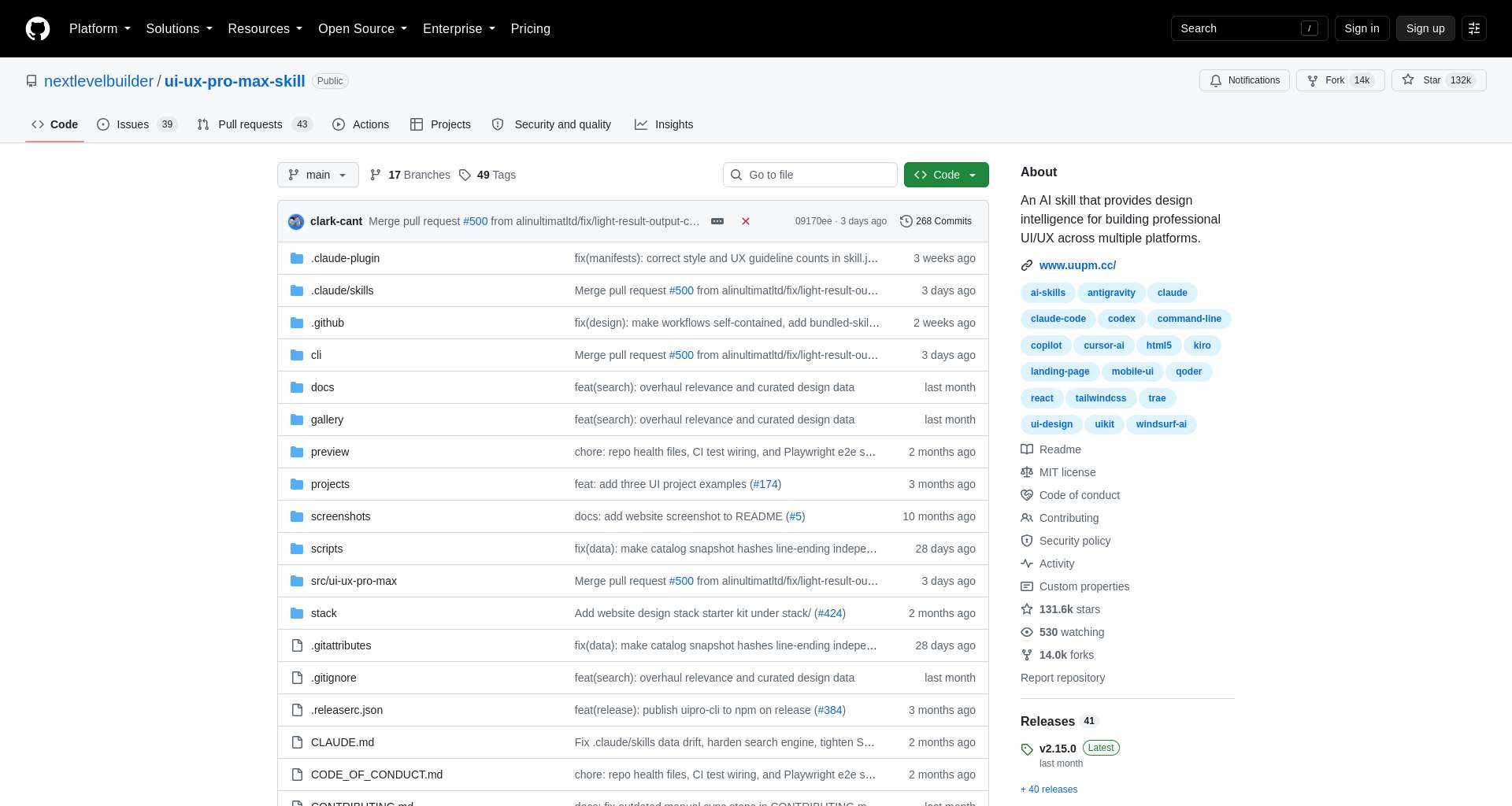
Courtesy: viewport screenshot of the UI/UX Pro Max repository, captured September 30, 2026. Feature counts are version-dependent; verify the project’s current README and skill.json before relying on a particular number.
Use it when: the agent is building an interface and needs more concrete direction than “make it modern.” Give it the audience, product type, brand constraints, framework, and accessibility requirements; design data is most useful when grounded in the actual brief.
Watch for: searchable recommendations are inputs, not a guarantee of good taste or a substitute for checking the rendered interface. Ask the agent to implement, run the app, inspect the result at mobile and desktop sizes, and fix visible issues. Keep the generated tokens aligned with your existing design system instead of layering on a second one.
4. Graphify — a local graph for relationships across a codebase
Graphify combines a CLI with an agent skill. The repository describes a graph of code, documentation, schemas, and configuration; its code path uses deterministic AST parsing locally, while some non-code semantic analysis can use the assistant’s model or a configured provider. Each graph edge is labeled as extracted from evidence or inferred, which helps distinguish source-grounded relationships from a model’s interpretation.
The project documents OpenCode installation with graphify install --platform opencode. There is also a generic Agent Skills target; a bare install is not necessarily a universal multi-agent setup. Read the current platform table and invoke the matching install mode.
Use it when: an unfamiliar monorepo has relationships spread across packages, schemas, deployment files, and docs, and repeatedly rediscovering those relationships is expensive.
Watch for: a graph can become stale. Check how refresh works, inspect generated artifacts, and rebuild after meaningful structural changes. The “local” claim applies to code parsing; do not assume every optional document or media analysis stays local. Review the README’s privacy and optional-dependency sections for your chosen workflow.
5. Caveman — concise behavior, with a license boundary to notice
Caveman packages short-form agent behavior and related skills, but it has evolved beyond a single terse-response prompt. Its installer documents a native OpenCode path that can install a plugin, AGENTS.md rules, and other supporting files. That makes it materially different from simply copying one SKILL.md into .opencode/skills/.
Use it when: you want a consistent concise style across agent sessions and are prepared to review the files and hooks the installer changes.
Important license note: the repository is split-licensed. Its skill/adoption surface is MIT, while the Caveman Engine-linked code is under Business Source License 1.1 with an additional-use grant and a commercial boundary for third-party hosted, managed, or embedded services. “The GitHub repo says MIT” is not enough to establish the license for every directory. Check LICENSING.md and the file paths you plan to use—especially before embedding or offering the engine in a service.
Watch for: a concise style can omit caveats unless prompted. Retain explicit requirements for tests, security review, and reporting uncertainty; do not optimize away evidence or safeguards.
6. Addy Osmani Agent Skills — practical engineering playbooks
Addy Osmani’s Agent Skills is a collection of workflow-oriented skills, including guidance for development planning, implementation, and quality checks. Its OpenCode setup guide explains both npx skills add and manual copying into OpenCode’s project or user skill directories. It also recommends writing your own project-local AGENTS.md; the pack’s root instructions are for its own maintainers, not a ready-made system prompt for every app.
Use it when: you want to add a handful of reusable engineering practices to an existing project rather than install a runtime plugin. Browse with the CLI’s list option and install a specific skill, instead of importing the entire collection by default.
Watch for: a single-skill install may not include shared reference files a skill expects. The project’s OpenCode setup guide calls this out. Read the skill’s links and copy any required references, then verify the agent can find them. Skills can suggest a process; your tests, permissions, and repository instructions remain the enforcement layer.
7. Understand Anything — guided codebase understanding and diagrams
Understand Anything aims to turn a repository into an interactive knowledge graph and guided explanation workflow. Its skill can walk through project structure, components, relationships, and architecture, with scripts and references supporting parts of the pipeline. The installer lists OpenCode as a platform and links the skills into a discovered directory.
Use it when: onboarding to a large project, explaining architecture to a teammate, or creating a navigable map before making a cross-cutting change.
Watch for: the full experience can involve more than skill discovery. The repository documents plugins, generated graph data, scripts, and optional dashboard behavior; feature parity can vary by host and installation profile. Start by checking the current OpenCode install guide and running a small test on a non-sensitive repository. Do not assume every dashboard or slash command is automatically registered just because the skill was linked.
8. Awesome Claude Skills — a discovery catalog, not one OpenCode package
Awesome Claude Skills is a curated directory of skills, plugins, and related resources. The repository itself says the listed material spans multiple coding agents, but it remains a catalog: choosing it does not install one unified OpenCode extension.
Use it when: you are looking for a workflow you have not found in the other repositories. Follow the link to the original skill, check its expected host, dependencies, and data flow, then install only the relevant item into a supported OpenCode path if its format is compatible.
Watch for: the catalog states that individual skills may use different licenses. Inspect the original project and each skill’s license rather than relying on the aggregate repository label. Also distinguish an OpenCode-compatible SKILL.md from a Claude-only plugin, command, or hook.
9. Archify — make architecture and workflow diagrams from explicit evidence
Archify focuses on architecture, sequence, data-flow, and lifecycle diagrams. Its project description emphasizes diagrams built from typed information, rendered into a self-contained visual artifact and checked with validators. It is best viewed as a diagramming workflow, not a generic codebase search engine.
The current repository README lists OpenCode skill locations and a skills CLI installation path. It also documents a CLI/validator workflow. Follow the current README because the project’s installation and platform support have changed over time.
Use it when: a design review, migration plan, or incident write-up needs a clear picture of components and paths through a system. Ask for a bounded diagram—core components, one primary path, dependencies, and trust boundaries—then validate every edge against the repository or source material.
Watch for: a polished diagram can make an inferred architecture look certain. Keep evidence labels, scope, and unknowns visible. Verify the current repository URL and README before installation; GitHub search results and old screenshots can point at stale routes or branches.
10. Impeccable — repeatable design critique and polish passes
Impeccable provides a design-focused skill with workflows for shaping, critiquing, auditing, and polishing interfaces. It has an OpenCode-specific skill directory and supporting scripts. Its setup instructions describe running a context step once per session and then using the relevant playbook and command reference.
Use it when: a UI already exists and you want a structured quality pass, or you want implementation to start from a sharper design brief rather than default components.
Watch for: a skill and an OpenCode slash command are separate mechanisms. The OpenCode docs define slash commands separately under .opencode/commands/; don’t assume every skill command or host-specific frontmatter field will appear automatically in OpenCode’s command menu. Confirm the commands supported by the current release and use its skill workflow where command bridging is absent.
Which two should you start with?
| Your bottleneck | Start with | Add only if needed |
|---|---|---|
| Agent skips planning, tests, or review | Superpowers | One Addy Osmani workflow for a missing practice |
| Agent builds generic-looking interfaces | UI/UX Pro Max | Impeccable for a separate critique/polish pass |
| New engineer or agent cannot orient in a monorepo | Graphify | Understand Anything for guided tours and graph exploration |
| Responses are noisy and overlong | Ponytail or Caveman | Keep one behavior layer first; compare before combining |
| You are browsing for a specialized workflow | Awesome Claude Skills | Install the original skill only after compatibility review |
| You need architecture diagrams for reviews/docs | Archify | Pair with graph/codebase discovery only if evidence gathering is hard |
Avoid installing every popular skill at once. Overlapping instructions can compete for attention, add prompt context, and make it hard to attribute a better—or worse—result to a particular tool. Begin with one problem, one skill, and a repeatable task.
A safe OpenCode trial workflow
- Check the host version. OpenCode’s plugin configuration and skill behavior can differ between releases. Use the current official docs and the repository’s OpenCode-specific instructions.
- Review the install diff. Before running an installer, inspect what it writes: config files, plugin directories,
AGENTS.md, scripts, hooks, generated graphs, or lockfiles. - Use a low-risk repository first. A public sample project is a good place to verify skill discovery and plugin startup.
- Confirm discovery. Ask OpenCode to list its available skills using the native
skilltool. A successful package install is not proof that the skill is discoverable or activated. - Run a representative task. Use a bounded bug fix, UI refinement, or codebase explanation. Capture baseline and trial results.
- Check the work. Inspect changed files, run the same tests and build checks, and verify that diagrams and generated files reflect evidence rather than assumptions.
- Check privacy and license. Review any remote model calls, telemetry, source upload, third-party assets, and directory-level license terms.
- Pin or remove deliberately. For team projects, record a release or commit and document how to update it. If it does not help, remove the config/files it added and verify the repository is clean.
For a wider view of agent choices, browse the coding agents directory. If you are selecting the underlying model as well as the harness, use the AI model directory. The companion guide on building a better agent harness instead of chasing every model release explains why tools, instructions, and verification often matter as much as a model swap. You may also find the AI agent stacks: skills, plugins, MCP, and ACP guide useful for separating these layers.
Bottom line
These ten projects solve different problems. Superpowers and Addy Osmani’s collection focus on workflow instructions. UI/UX Pro Max and Impeccable improve design guidance and review. Graphify and Understand Anything help build codebase maps. Archify turns architecture descriptions and evidence into diagrams. Ponytail and Caveman change how an agent behaves, while Awesome Claude Skills helps discover more options.
The practical win is not installing the list—it is improving one weak point in your agent environment, checking that the integration actually works, and keeping the changes that measurably improve completed work. A good skill makes a capable model easier to direct; it cannot guarantee correctness, and it does not replace tests, code review, or a deliberate privacy boundary.
Frequently asked questions
Do OpenCode skills work automatically after I download a GitHub repository?
No. OpenCode needs to find a valid SKILL.md in one of its documented skill directories. Some projects need a CLI installer or plugin setup, and some features may require extra scripts or references. Verify discovery in OpenCode after installation.
Are OpenCode skills the same as plugins?
No. A skill is a documented workflow the model can load. A plugin extends OpenCode’s runtime or hooks. A CLI performs operations from the terminal, and an MCP server provides callable tools. A repository can package more than one of these.
Which OpenCode skill should I install first?
Pick the one that addresses your current bottleneck: Superpowers for disciplined development flow, UI/UX Pro Max for design decisions, or Graphify for codebase relationships. Install one first so you can tell whether it helped.
Do skills reduce token usage?
Not automatically. Progressive loading can avoid placing every full instruction into every prompt, but the effect depends on the host, skill descriptions, invocation, references, and task. Behavior/style tools may shorten visible output without lowering total token use. Measure a real task and include retries and tool calls.
Are the star counts a quality score?
No. They are a rough popularity snapshot, change over time, and say little about integration quality, privacy, maintenance, licensing, or fit for your codebase.
Research and compatibility notes checked against the official OpenCode Agent Skills documentation and the linked project repositories on September 30, 2026. Product behavior, releases, star counts, and install instructions change; check each project’s current README and license before use.
Sources and image references
- OpenCode Agent Skills documentation
- OpenCode Plugins documentation
- Superpowers: OpenCode setup
- Ponytail repository
- UI/UX Pro Max repository and platform metadata
- Graphify repository and OpenCode installer
- Caveman install guide and license scope
- Addy Osmani Agent Skills: OpenCode setup
- Understand Anything installer
- Awesome Claude Skills catalog and license note
- Archify repository
- Impeccable OpenCode skill
Keep reading
Related reading
⚡ AI Engineering Briefing
AI model releases, practical tutorials, developer tools, and engineering research. Unsubscribe anytime.
Comments
Comments are temporarily unavailable while the public discussion space is being configured.